21-Topaz I
January 3, 2024
Solved

The new web support page shows none of my cases

  • January 3, 2024
  • 1 reply
  • 2710 views

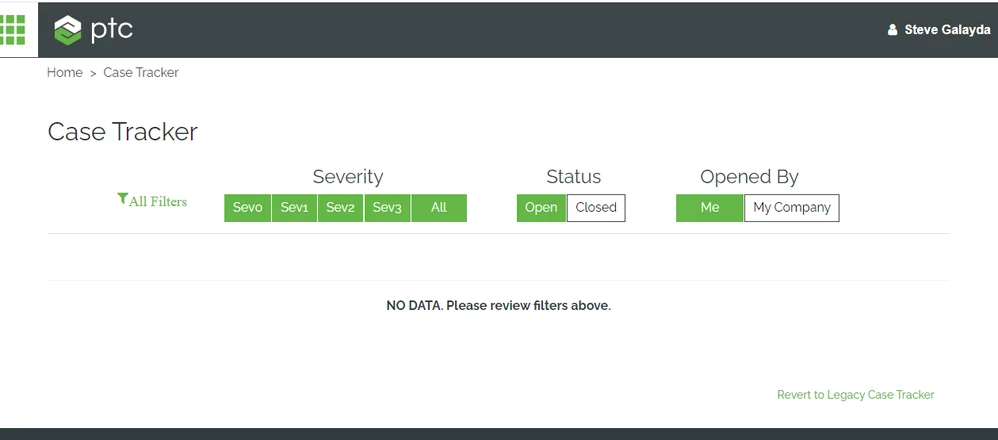
When I go to the new Case Traker page, none of the support cases display.  When I select from that page "Revert to Legacy Case Tracker", it will at least show the filters I can use.
 

STEVEG_0-1704293430382.png


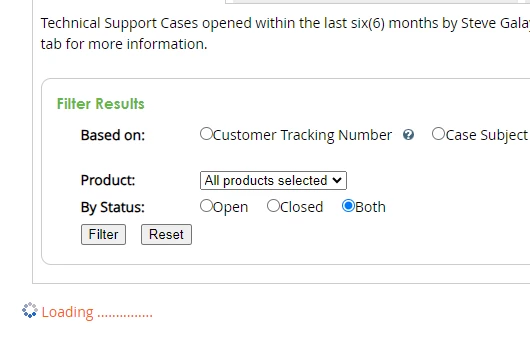
However, even when I do go to the legacy page it takes either a very long time to display the cases or not at all.  Most times it just keeps showing "Loading......"  Why isn't the new page or the old page working?
 

STEVEG_1-1704293620088.png


Best answer by AshRam

Hi Steve,


Thank you for bringing this to our attention. 


In the new case viewer, under "All Filters", could you please enable all the options under "Opened With"?  Only "Technical Support" is selected by default. 

AR_10156150_0-1704299003727.png

Please let us know your feedback. Thank you.


Ash

1 reply

AshRam10-MarbleAnswer
10-Marble
January 3, 2024

Hi Steve,


Thank you for bringing this to our attention. 


In the new case viewer, under "All Filters", could you please enable all the options under "Opened With"?  Only "Technical Support" is selected by default. 

AR_10156150_0-1704299003727.png

Please let us know your feedback. Thank you.


Ash

23-Emerald IV
January 3, 2024

@AshRam,

I'm seeing the same problem.  Everything works fine using the advanced filters, but as soon as I make a change to one of the filter buttons on the main page, suddenly nothing returns.


TomU_0-1704312779983.png