


Solved
Hi
An online supervisor for your account will need to add the "Software Update Access" privilege to your account. This privilege is part of the baseline permission set any account receives when upgraded, but it seems to have been removed for you:
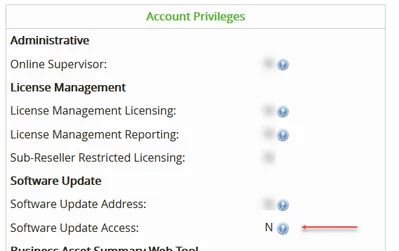
You can find out who your online supervisors are under the "eSupport Settings" tab in Web Account Management.
Best regards,
Peter.