
1-Visitor
May 22, 2015
Solved

Any tips for dealing with mesh errors related to Conical Rounds?

  • May 22, 2015
  • 2 replies
  • 1324 views

Hoping someone has a few pointers with getting Conic Rounds to mesh in Creo Simulate?

I have tried adjusting the settings of the round, adding auto geom edge distribution controls with no success.

Any suggestion on what I might try?
Thanks,
Don Anderson
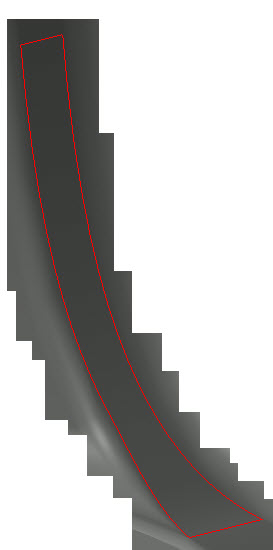
mesh conic round.jpg


This thread is inactive and closed by the PTC Community Management Team. If you would like to provide a reply and re-open this thread, please notify the moderator and reference the thread. You may also use "Start a topic" button to ask a new question. Please be sure to include what version of the PTC product you are using so another community member knowledgeable about your version may be able to assist.
Best answer by mlindqvist

Donald,

Do you by any chance have a model, or part of a model, that you can upload?  Possibly/probably the conical round produces some geometry that AutoGEM can't handle.

If it's not in a critical region, try to replace it with a circular round. That is obviously not an option if it is a critical area of your model and you need accurate results.

Another strategy is to export a step- file and then re-import that step file into a new part. When the Creo geometry is translated into STEP, then the surface definition becomes(or might become) something different from the native Creo surface definition, and it is possible that Creo Simulate can mesh this exported-re-imported geometry. The imported geometry will then be slightly different than the original, but I would think this difference is negligible in most cases.

To export a step that I then re-import is a trick I often use when preparing a model for analysis. You lose the parametric control, but you also remove all dependencies so you can play around with the model and change it as you wish.

/Mats L/

2 replies

1-Visitor
May 26, 2015

Donald,

Do you by any chance have a model, or part of a model, that you can upload?  Possibly/probably the conical round produces some geometry that AutoGEM can't handle.

If it's not in a critical region, try to replace it with a circular round. That is obviously not an option if it is a critical area of your model and you need accurate results.

Another strategy is to export a step- file and then re-import that step file into a new part. When the Creo geometry is translated into STEP, then the surface definition becomes(or might become) something different from the native Creo surface definition, and it is possible that Creo Simulate can mesh this exported-re-imported geometry. The imported geometry will then be slightly different than the original, but I would think this difference is negligible in most cases.

To export a step that I then re-import is a trick I often use when preparing a model for analysis. You lose the parametric control, but you also remove all dependencies so you can play around with the model and change it as you wish.

/Mats L/

1-Visitor
May 26, 2015

Mats,

Sorry I'm not able to upload the data at this time.
The Conical round is a D1 X D2 Conic   with values of 0.5   20   40 at the interface of a rib going into a boss.
The models I created to simulate the issue I was able to mesh but I'm not able to get it to mesh in the current model I'm working on.
I have changed the rounds to simple rounds like you sugested and that seems to work.  Once the project gets further along I will pass the model on to ptc for review.

Thanks
Don Anderson