Can part model color be changed as a feature item
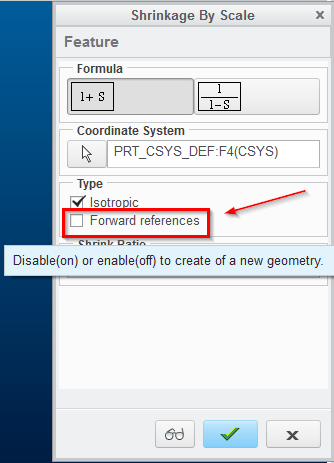
In our line of work we need to have shrinkage added to the models added to the die.
There always is a concern that shrink does not get included and costly consequences would result because of this.
At the tail end of our feature tree the shrink is added. Recently we have started making volume checks of models prior to adding shrink, and this adds to the likelihood of not saving the model with shrink.
Today I discovered a mistake that I made in not including shrink into my die. Thankfully in this case I discovered my mistake in simulation, but in other instances it wouldn't be this apparent.
In thinking this through I really don't know of a way that it would be visually apparent in my die that shrink was included.
In our old CAD software we could make a change to the color and it would become a feature item. What we would do is change away from the default color after shrink was added to the model. If the model didn't have shrink it had the plain color, if it did have shrink it would be visually apparent.
By remote chance could we do the same thing with Creo? If not, would there be other good visually apparent ways to mark the inclusion of shrink?
This thread is inactive and closed by the PTC Community Management Team. If you would like to provide a reply and re-open this thread, please notify the moderator and reference the thread. You may also use "Start a topic" button to ask a new question. Please be sure to include what version of the PTC product you are using so another community member knowledgeable about your version may be able to assist.