1-Visitor
September 18, 2017
Solved

Color difference from Creo 2 to Creo 3

  • September 18, 2017
  • 2 replies
  • 2203 views

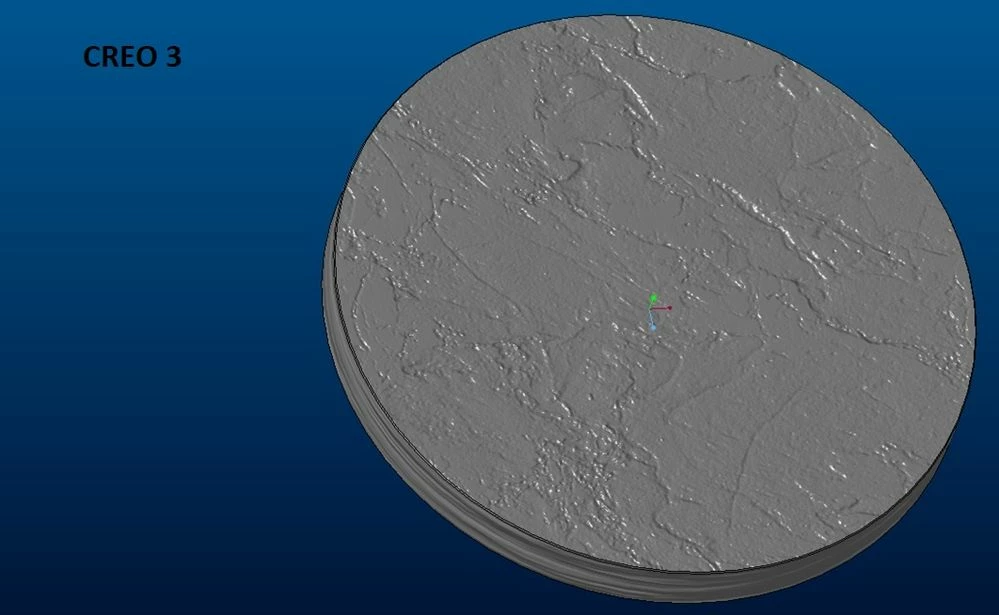
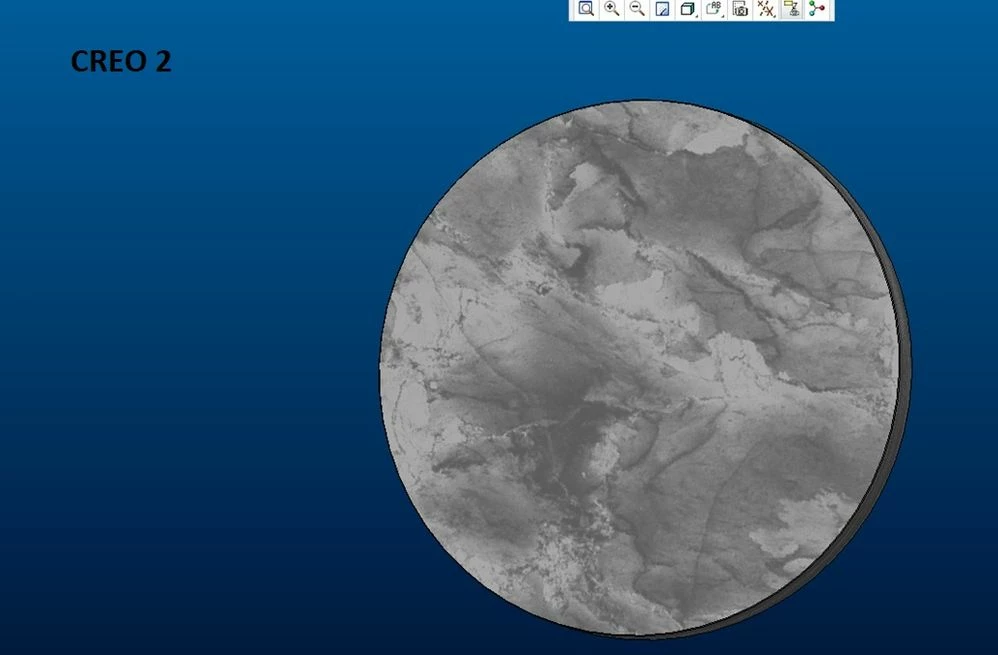
Hello to all I configured the config.pro file pointing to the new path. And everything works properly. But I noticed that one open part in Creo 2 does not have the same color in Creo 3. I do not understand how to fix it.

See the file attached,

Can someone help me?Creo 2Creo 2Creo 3Creo 3
Best answer by dfante

Thank you for the reply.
I understand (by looking at the same product in Creo 2 and in Creo 3) that in Creo 3 if you see an object containing a texture with bump effect this is rendered in realtime, which Creo 2 did not happen. For this reason I see this difference "graphics"

2 replies

1-Visitor
September 20, 2017

If I remember correctly PTC changed the Render engine for Pro/E again when they launched Creo 3.

I had several colors that failed to come across properly and they had to be re-created. unfortunately I was not able to get them to look like the previous colors/textures due to the render engine change.


Don

dfante1-VisitorAuthorAnswer
1-Visitor
September 20, 2017

Thank you for the reply.
I understand (by looking at the same product in Creo 2 and in Creo 3) that in Creo 3 if you see an object containing a texture with bump effect this is rendered in realtime, which Creo 2 did not happen. For this reason I see this difference "graphics"

1-Visitor
September 20, 2017

You might try editing the color and turning of Bump or texture to see if that helps too.


Don