ND_10940562
11-Garnet
November 1, 2024
Solved

CREO 7 dont saving last config and working_directory used

  • November 1, 2024
  • 2 replies
  • 2815 views

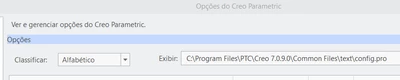
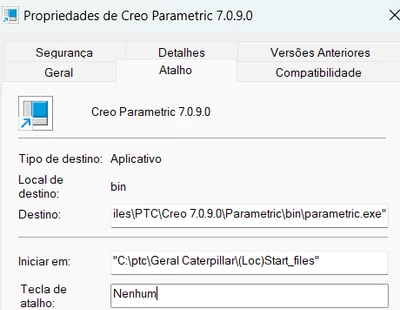
Hello, im at creo parametric 7.0.9.0 and it never saves what config i am using or what directory i am working. Like always. Here is how i confi'ed' the creo
ND_10940562_3-1730475010180.png

in this folder especific its my config, but i tried other folders, 
it always open in the below folders

working_directory
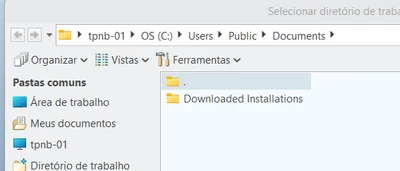
ND_10940562_0-1730474651710.png

config

ND_10940562_1-1730474667956.png


should I  write something on my config, so it becames permantly. 
Ive already tried chanching the file_open_default_folder with defaault, working dir, in secion but nothing workings. 
I did already look to some solutions on here, like chanching trought the envirment but didnt work as well.

Best answer by BenLoosli

Do you have write access to the Start In folder?

The default starting folder is probably defined as your Home folder in Windows.

If that Start In folder has your company start part templates in it, it would probably be read only.

Are you using Windchill or another PDM system to manage your files or just native disk filing? This may have a factor on how things work.

We define our start In folder to be c;\PTC_User\%username%. We use Windchill so in Creo the default working directory is defined as the user's workspace. They still have the option of selecting Working directory which is c;\PTC_User\%username%.

2 replies

BenLoosli23-Emerald IIIAnswer
23-Emerald III
November 1, 2024

Do you have write access to the Start In folder?

The default starting folder is probably defined as your Home folder in Windows.

If that Start In folder has your company start part templates in it, it would probably be read only.

Are you using Windchill or another PDM system to manage your files or just native disk filing? This may have a factor on how things work.

We define our start In folder to be c;\PTC_User\%username%. We use Windchill so in Creo the default working directory is defined as the user's workspace. They still have the option of selecting Working directory which is c;\PTC_User\%username%.

ND_10940562
11-Garnet
November 4, 2024


I actually do have that, and I can even copy a config file to the start-up folder (or rather, the folder Creo keeps opening). However, the problem remains with the working directory, which just won’t save no matter what I try. I don’t know what else to do. And also, the company I work for doesn’t use Windchill and the job needs me to always change the working directory but not every time i start creo. At another company I worked for that did use Windchill, there were no issues at all.

Dale_Rosema
23-Emerald III
23-Emerald III
November 4, 2024

Do you have access to this?

I do not have Windchill.


Dale_Rosema_0-1730728027273.png


This sets my working directory every time I start Creo.

23-Emerald III
November 4, 2024

First thing to do when having problems with loading a config.pro is to look at the configuration editor and check what config.pro files have loaded.

If there is config.pro in the "start in folder", it should load.

Mine shows the 3 configuration files that load each time I start creo. 


StephenW_1-1730729219329.png