10-Marble
December 30, 2025
Solved

Creo crashes whenever i start a part or open assembly

  • December 30, 2025
  • 2 replies
  • 191 views

So i was making 2D drawings when my screen suddenly went black, after waiting my pc started up again and my desktop looked funny as in my pictograms got bigger ec, then when i opend creo evrything is fine untill i open a assembly. After restarting i tried making a new part but it starts fine till i try something and then it just freezes. How can i fix this? i looked around for a solution but im not a techy guy.

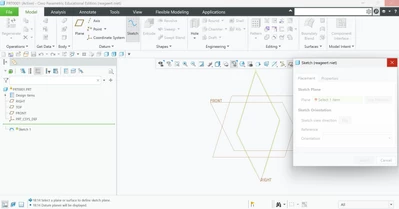
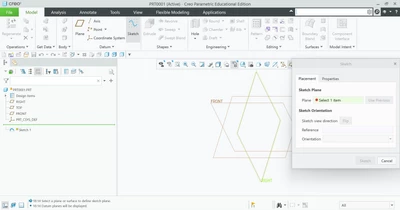
It freezes as soon as i select to see the planes
XV_10815251_0-1767114871473.png

XV_10815251_1-1767114909104.png


Best answer by XV_10815251

I found the solution  after many hours of struggeling,

If any one else gets this problem. Go to device managment and delete you graphics cards, then restart your laptop. This forces your laptop to reinstal them. Then creo works again

2 replies

10-Marble
December 30, 2025

And yes i tried reinstaling creo i use creo 12.4

XV_1081525110-MarbleAuthorAnswer
10-Marble
January 1, 2026

I found the solution  after many hours of struggeling,

If any one else gets this problem. Go to device managment and delete you graphics cards, then restart your laptop. This forces your laptop to reinstal them. Then creo works again