Creo parametric opening Direct models...
When I updated my maintenance, I was told that Creo Parametric could open Direct models ...directly.
On a default install, this is -not- the case. I was stuck on a mission critical stage and my VAR really pulled through!
I got an answer with an hour!
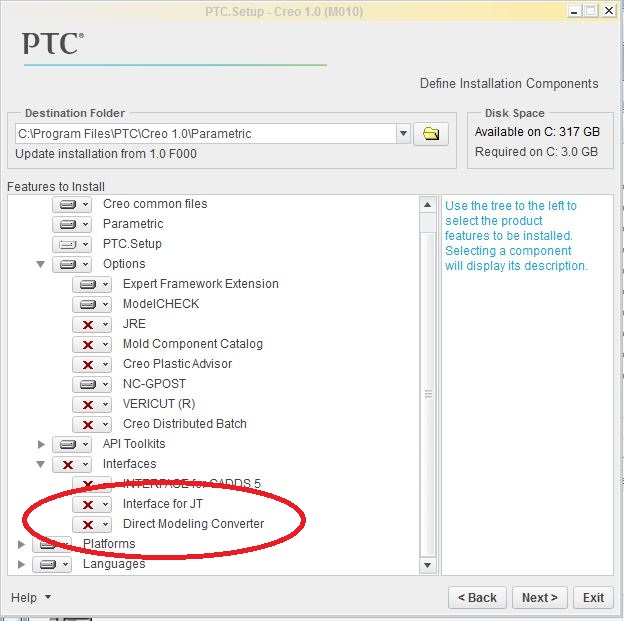
Turns out you need to specifically load the converters during install. And if you forgot, you have to do it from the DVD or the install download.
So far, I can read Co-Create V13 and V18 .PKG and BDL files but that's it. Sessions (.ses) and .mi files won't open. there are a few others listed but I don't know what they are.
What was interesting to note, with the little experience I have so far, you cannot load the Co-Create drawings in Creo Parametric. I'm using Direct Express to open drawings (.mi) for reference.
In my book, "playing nice together" includes cross platform drawings. I don't think that's going to happen any time soon. I might have to learn Direct if someone is willing to fork up the bux for a license.
How many of you are your own admin... and how many of you are comfortable with the PTC install process? So far I missed adding Mechanism (although it is in the license! ...and the very capability I was counting on. (image courtesy of PTC support)