

Solved
Default Tree Column Configuration
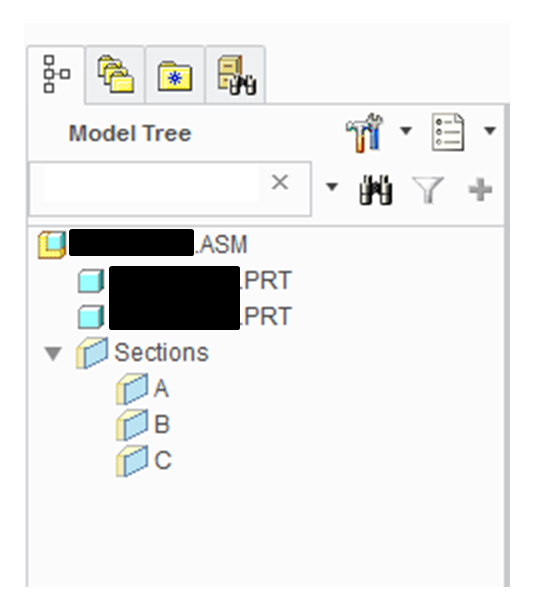
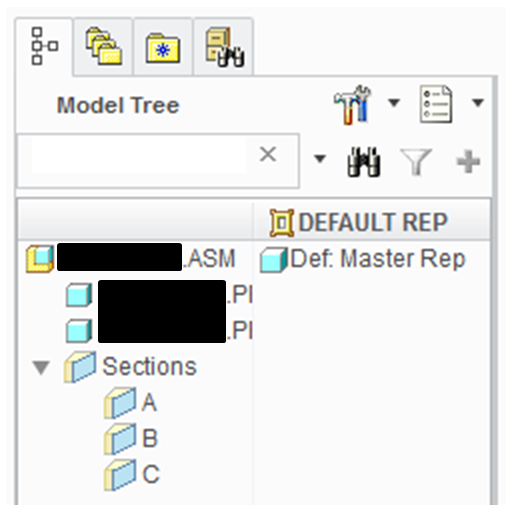
Is there a way to make the 'Current Rep' tree column NOT display every time a rep is changed in an assembly? When I open a Master Rep, the model tree looks like the first image. Then, when the rep is changed (to default rep, for example) the tree column 'Current Rep' is displayed. Is there a way to turn this feature off and always have just the original column display no matter what rep is displayed? I know I can go into Settings>Tree Columns, but I am wanting a config setting that will always hide it.
This thread is inactive and closed by the PTC Community Management Team. If you would like to provide a reply and re-open this thread, please notify the moderator and reference the thread. You may also use "Start a topic" button to ask a new question. Please be sure to include what version of the PTC product you are using so another community member knowledgeable about your version may be able to assist.