1-Visitor
November 25, 2014
Question

Graphic Error(or Crash) in Creo Parametric 2.0

  • November 25, 2014
  • 3 replies
  • 5597 views

Hello, i'm in trouble so i begging you help me to solve this problems.

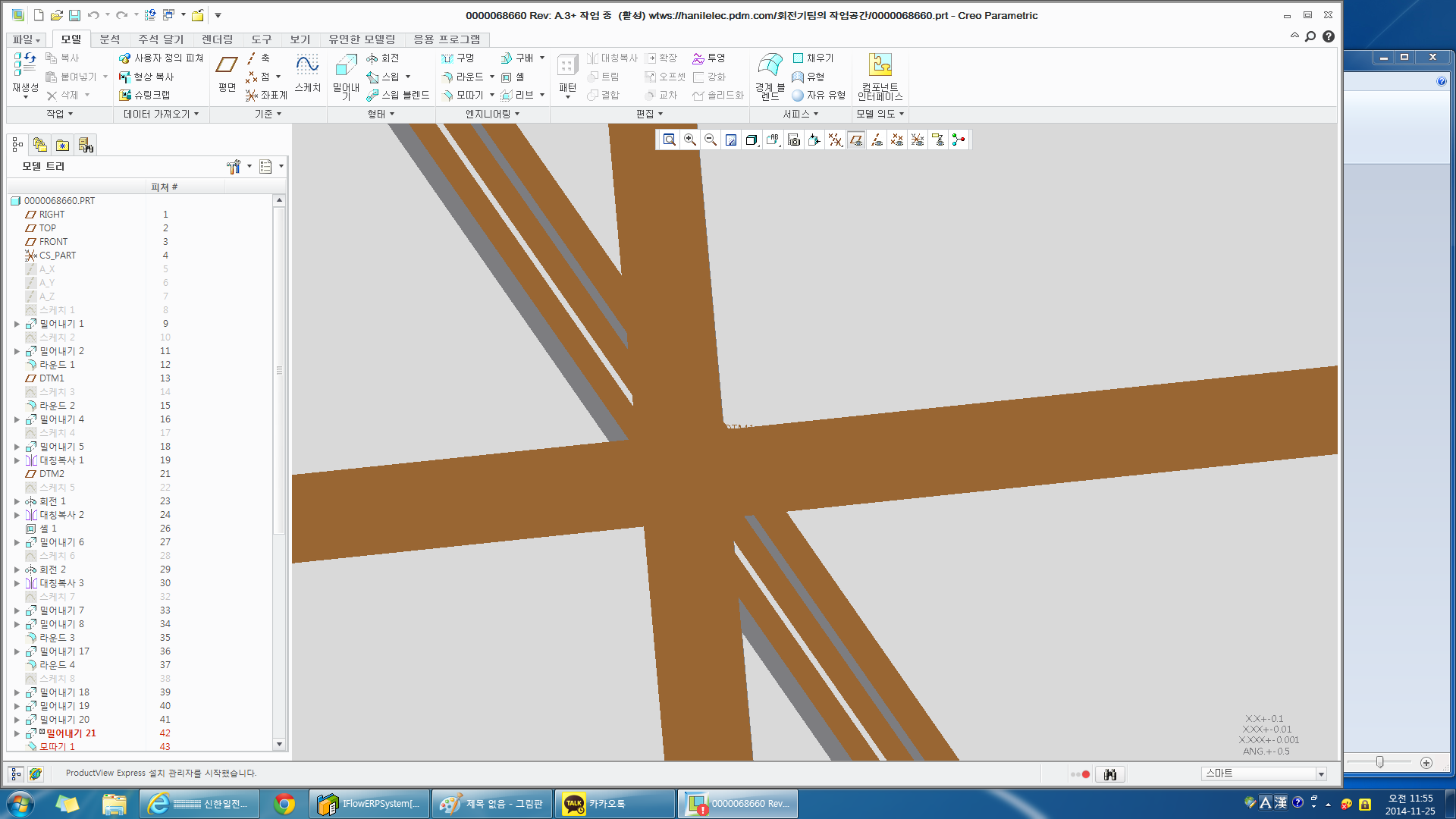
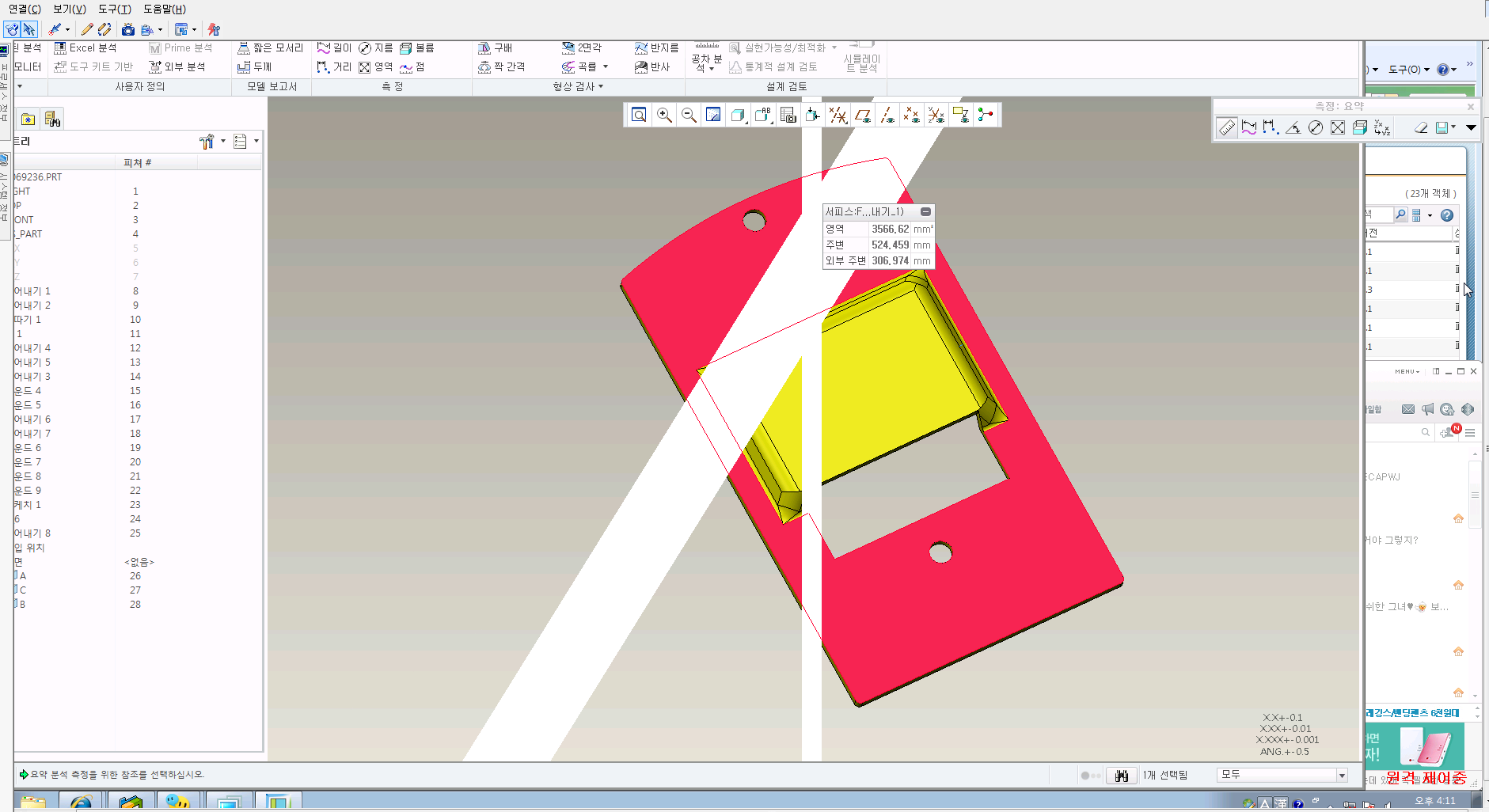
the problems are shown below:
Crash1.pngCrash2.png

some lines are appearing in graphic area(two white lines in picture 1, and three brown lines in picture 2). when i rotate or zoom in&out the model, that wierd lines are not removed and rotate or zoom together.

sometimes it happens in Part models & 2D Drawings, but i can't find the reasons.

i tried to applying the option "graphics win32_gdi" but it doesn't work.

we have windchill 10.1 and my Creo Parametric's datecode is M130.

VGA is geforce GTX550 and other PC spec is enough to run Creo Parametric.

Win7 Pro ver, 64bit, 8GB RAM, nothing seems bad. but that problems keep bothering me.

plz somebody help me...


This thread is inactive and closed by the PTC Community Management Team. If you would like to provide a reply and re-open this thread, please notify the moderator and reference the thread. You may also use "Start a topic" button to ask a new question. Please be sure to include what version of the PTC product you are using so another community member knowledgeable about your version may be able to assist.

3 replies

13-Aquamarine
November 25, 2014

The problem may be your graphics card. Geforce cards are generally not considered suitable for CAD - the Quadro series is preferred.

You could try changing your graphics drivers (either update to the latest version or backdate to an older version) but this may not make any difference.

1-Visitor
November 25, 2014

i thought that once, but some of other PC occur that problems. and the VGA of that PC is Quadro K600.

24-Ruby III
November 26, 2014

Hi,

try following config.pro options:

enable_opengl_fbo no

enable_opengl_vbo no

Martin Hanak

1-Visitor
November 26, 2014

Hi Martin,

I am not able to see these config options.

I could find only enable_opengl_shader for opengl.

Is this config option depends on the make of graphics card?

Thanks,

Sachin Mahajan

24-Ruby III
November 26, 2014

Sachin,

maybe these options are hidden ones. Simply open your config.pro in Notepad and add two lines containing options into it. Then restart Creo.

Martin Hanak

1-Visitor
December 3, 2014

I had problems similar to that in Wildfire 5. In my case, the brown lines were actually the datum planes. Also, my entire screen would turn red when I highligted an object. I would have to quit and restart Proe. My problem ended up being an incompatibility with my monitor and my AMD graphics card. I switched to a newer monitor and the problem went away.

1-Visitor
December 4, 2014

Hi Tim,

yes, you're right.

that brown lines disappeared when i turn all datums off.

and in our PCs, we saw red, green, blue lines also. it was the spin center.

but in our case, it didn't work simply changing VGA/VGADriver/Moniter, etc...

anyway, i'm so glad to find the people who suffered the problem what i'm suffering. we got hope.

thanks, Tim

pwj