
1-Visitor
Jan 21, 2016 10:25 AM UTC
Question

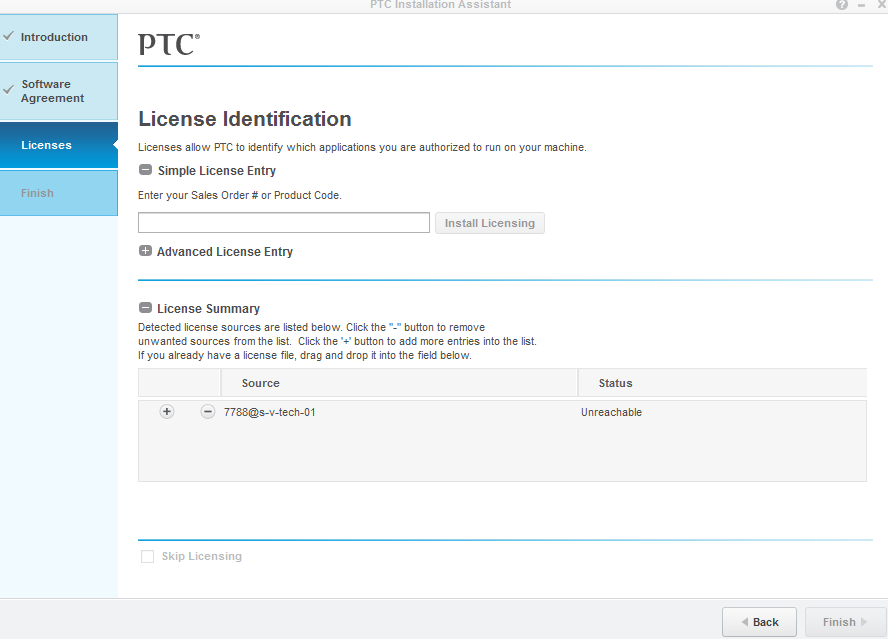
Hello , i have installed creo 3 license on a server but when setting up the client with 7788@s-v-tech-01 i get the status unreachable. The firewall is turned off on the server. i am at a bit of a loss to understand why it's not communicating. Any hel

Hello , i have installed creo 3   license on a server but when setting up the client with 7788@s-v-tech-01 i get the status unreachable. The firewall is turned off on the server. i am at a bit of a loss to understand why it's not communicating. Any help would be great. thx
5 replies

Community Manager
Jan 21, 2016 10:40 AM UTC

Hello Andrew,

I moved your question to the Creo "System Administration" page to increase your chances of a quick resolution.

Translate
24-Ruby III
Jan 21, 2016 11:12 AM UTC

Hi,

go to license server and define windows firewall rules that enable inbound communication for lmadmin.exe and ptc_d.exe processes. These files are part of FLEXnet installation.

For testing purposes, you can turn off windows firewall on server temporarily.

MH

Translate
1-Visitor
Jan 21, 2016 3:25 PM UTC

Hello Andrew,

Check if the Flexnet License service is started on license server.  Also always give fully qualified hostname while installing the application. Refer to PTC Article CS60089 for more details.

regards,

Dipak

Translate
2-Explorer
Feb 26, 2016 11:52 AM UTC

Hello Andrew,

let us know, whether one of the answers has helped you identify/solve the issue, e.g. mark the corresponding post as Correct Answer.

Thanks,

Gunter

Translate
8-Gravel
Mar 25, 2016 12:19 PM UTC

Hello Andrew,

This is the common issue in Creo 3.0 license server when license is floating.

The best way i found to resolve this is to use the older version of license server.

->Uninstall the current license server from the creo server and download the old WF license server (Flexnet license server 10) and install it.

->After installation of license server is done. Reconfigure the Creo apps on client machines.

This will definitely work.

Regards,

Jignesh

Translate