1-Visitor
Mar 20, 2016 2:23 AM UTC
Solved

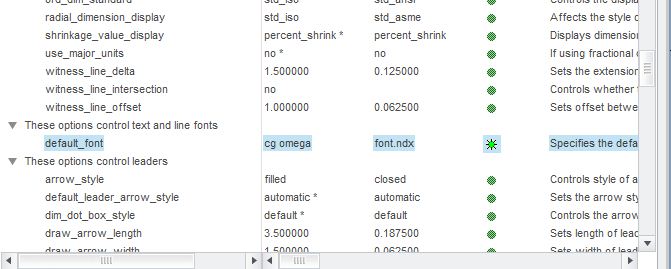
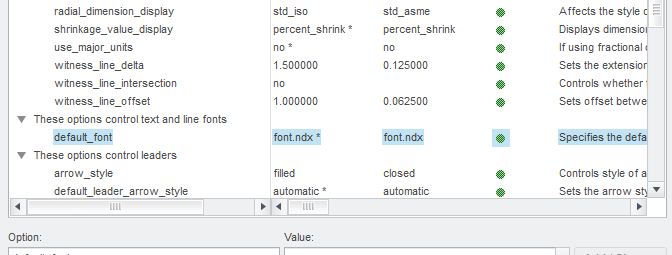
how to change default font display in Drawing Creo 2.0. i used in config default_font CG Omega

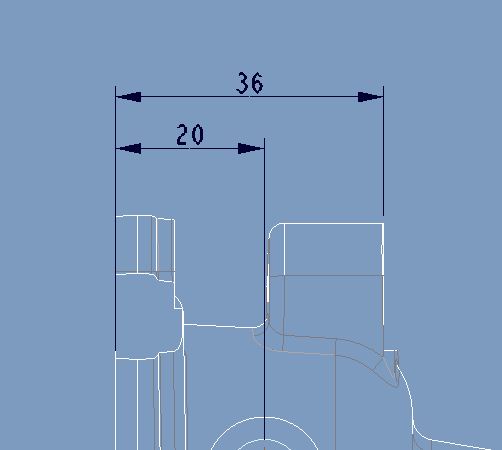
how to change default font display in Drawing. i used in config default_font CG Omega. drawing always fonts are Shows Font.ndx style. some times its automatically changed to Font.ndx in same drawing .1.JPG2.JPG3.JPG

This thread is inactive and closed by the PTC Community Management Team. If you would like to provide a reply and re-open this thread, please notify the moderator and reference the thread. You may also use "Start a topic" button to ask a new question. Please be sure to include what version of the PTC product you are using so another community member knowledgeable about your version may be able to assist.

17-Peridot
Mar 20, 2016 10:44 PM UTC

I suspect you need the NDX file name of the font.  It will not have spaces.

edit: or a TTF.  Enter cgomg.ttf and the font will take.

2 replies

2-Explorer
Mar 20, 2016 10:27 PM UTC

Depends on where the drawing is from. If you are using a template drawing, the font is set in that template and copied to the new drawing. The config only makes a difference if the drawing is created without reference to any other existing drawing. You can import a drawing config to replace the current config to make changes like this.

Translate
17-Peridot
Mar 20, 2016 10:44 PM UTC

I suspect you need the NDX file name of the font.  It will not have spaces.

edit: or a TTF.  Enter cgomg.ttf and the font will take.

Translate