15-Moonstone
December 16, 2016
Question

How to install Creo4.0 ?

  • December 16, 2016
  • 2 replies
  • 2705 views

HI,

I am not able to install Creo 4.0. it gives error as below,

please can anyone suggest, what to do for installation /
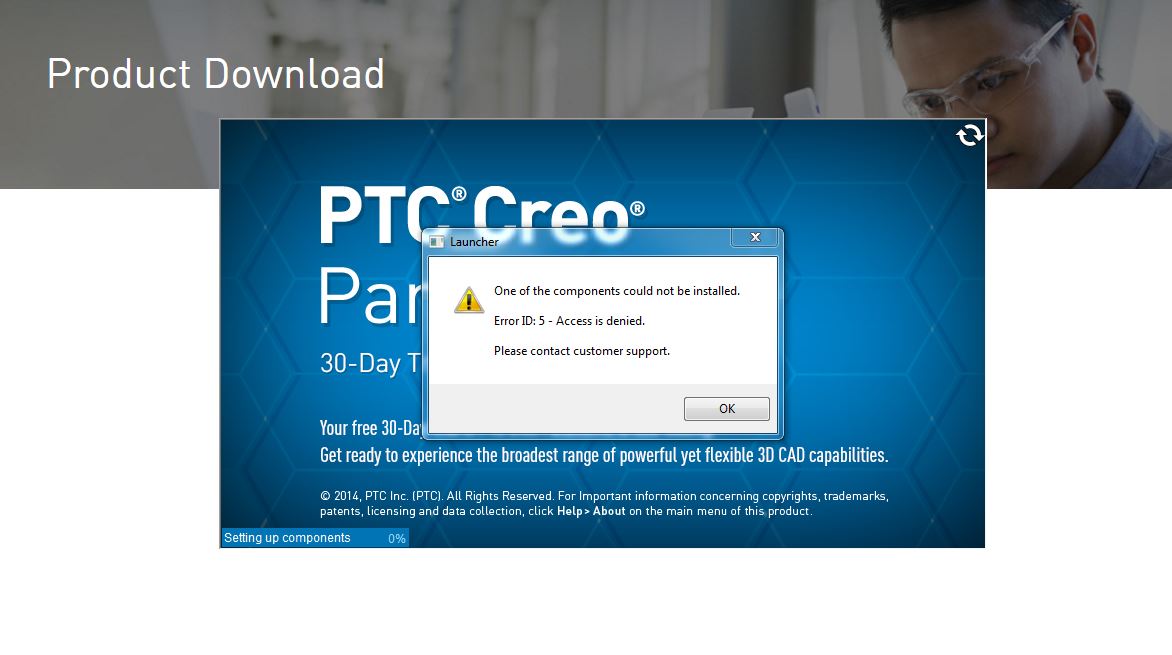
 

Capture.JPG


Thanks,

Prashant pandarkar

2 replies

24-Ruby III
December 16, 2016

Hi,

it looks like your are trying 30-day trial version. I do not think that Creo 4.0 Trial version is available in the same time as Commercial version. What URL did you use to download trial ?

MH

15-Moonstone
December 16, 2016

Yes, as of now i am trying for 30 days trial. As our license server is upgraded till Creo3.0 so i thought Creo4.0 license copy will not work.

Creo 4.0 Is Here | PTC

(http://www.ptc.com/cad/creo_4/ )

Capture.JPG

- Prashant Pandarkar

24-Ruby III
December 18, 2016

Hi,

unfortunatelly I do not know why download of trial version crashes .

If your active customer, that means you pay maintenance fees, then you can:

  • ask PTC Support to upgrade your licenses to Creo 4.0
  • install Creo 4.0 licenses on your license server
  • install commercial version of Creo 4.0

I think this is best way how to start with Creo 4.0, because you can use your existing data during testing period.

MH

24-Ruby III
December 20, 2016

Hi Prashant,

Try this tip, quote: "The problem is with the security permissions on your profile temp folder. To fix it navigate to %temp% or C:\Users\[Username]\AppData\Local and right click on the Temp folder and choose properties, then click the security tab and click advanced.

On the permissions tab you should see the permissions that are there. There should 3 which are:

  • 'SYSTEM' with Full control which applies to 'This folder, subfolders and files'
  • 'Administrators' with Full control which applies to 'This folder, subfolders and files'
  • 'Your Username' with Full control which applies to 'This folder, subfolders and files'

and all 3 should be inherited from the C:\Users\[Username]\ folder.

If you don't have the 'Include inheritable permissions from this object's parent' option ticked, then tick it and click continue if there are any problems, then remove the permissions that aren't inherited. Once you click 'Apply' and click 'OK' you should have the permissions to write to the directory and you won't get those error messages any more".
