1-Visitor
May 7, 2015
Solved

How to Load Assembly in 'As Saved' Configuration

  • May 7, 2015
  • 7 replies
  • 4617 views

Hi All - I am new to Creo and by no means am I a CAD expert, so apologize if this is CAD 101. I am working in an assembly file (on my local machine, not Model manager) and I have certain piece-parts turned off in the structure browser. However, when I save all, exit and re-open file, all of the parts are turned back on. How can I get my assemblies to load in the same state that they were saved in?

Thank you!


This thread is inactive and closed by the PTC Community Management Team. If you would like to provide a reply and re-open this thread, please notify the moderator and reference the thread. You may also use "Start a topic" button to ask a new question. Please be sure to include what version of the PTC product you are using so another community member knowledgeable about your version may be able to assist.
Best answer by FriedhelmK

Hi,

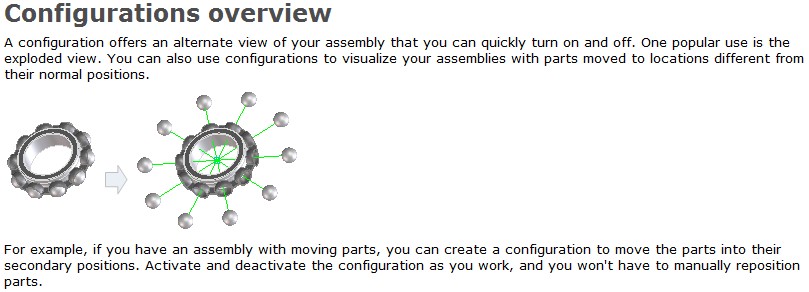
have a look at Structure -> Configurations.

With this tool you can save visibility and also the positions of parts and assembly's in a comfortable way.

Configurations.jpg

have a look at

https://www.youtube.com/watch?v=6HasS0ecj04


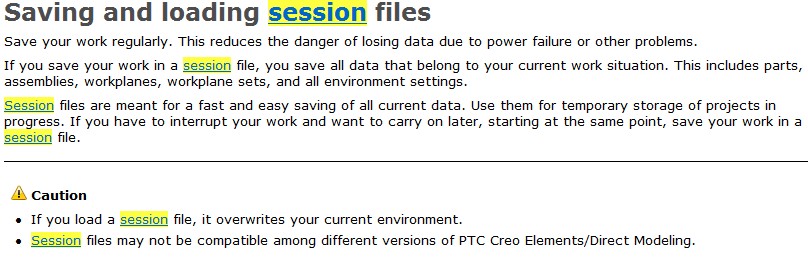
One other possibility is to save as "Session" .ses but this is not a long term solution by cause this saves also the whole environement.

If you or a collegue load such a file later in time the actual environnement will be overwritten and is lost if you have no backup.

Sessions.jpg

7 replies

2-Explorer
May 7, 2015

When you hide a component or feature in the model tree, it gets placed on a special layer called "Hidden items." If you don't save your layer status, the next time you open the assembly it will revert to the last saved layer status. So be sure to save layer status: In the Layer Tree dialog, right click on the background and pick Save Status. Then save your file. Your components should be hidden the next time you open your assembly.


Here's another thread that discusses the same issue (only they saved status with the comonents hidden and want them unhidden).

Hidden Components

StephenW
23-Emerald III
May 7, 2015

Your terminology seems a little odd. Are you using Creo Parametric or Creo Elements Direct? This forum is for Parametric. PTC Creo Elements/Direct‌ would be a much better place to post if you are using Direct. Ryan Kelley‌ can also move this question there if it's in the wrong place.

If i'm completely off base, I apologize and please disregard.

Steve

cbennett21-VisitorAuthor
1-Visitor
May 7, 2015

Thank you for your responses JLG & Stephen.

Stephen: You are correct, I am using "Direct." I put it in the "Modeling Community." I am not seeing anything that distinguishes between direct and parametric, but perhaps I need to look harder

JGL: Does this advice apply to Direct as well as Parametric? I ask because I am not seeing anything related to layers in the Help for Direct.

My current workaround is to use containers since they don't load upon open. Thanks again.

1-Visitor
May 7, 2015

Thanks for clarifying question Stephen. As a result I've moved Casey's discussion into our PTC Creo Elements/Direct‌ community.

17-Peridot
May 8, 2015

Hi,

have a look at Structure -> Configurations.

With this tool you can save visibility and also the positions of parts and assembly's in a comfortable way.

Configurations.jpg

have a look at

https://www.youtube.com/watch?v=6HasS0ecj04


One other possibility is to save as "Session" .ses but this is not a long term solution by cause this saves also the whole environement.

If you or a collegue load such a file later in time the actual environnement will be overwritten and is lost if you have no backup.

Sessions.jpg

cbennett21-VisitorAuthor
1-Visitor
May 8, 2015

Hi FriedhelmK: Thanks for that information and the video to boot! That's a much more elegant and scalable solution than using containers.

16-Pearl
May 8, 2015

Another option is to save a session. This saves the current open session including all settings, what part is active, what parts are shown and hidden.

session.jpg