
18-Opal
April 13, 2020
Question

Mean time to Crashes by build code?

  • April 13, 2020
  • 1 reply
  • 1723 views

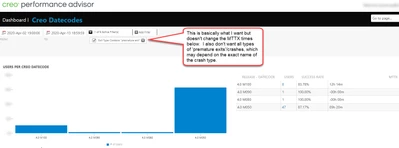
Does anyone know how to configure the Creo Performance Advisory to show all types of Creo Crashes (ehem..I mean, "premature Exits") regardless of cause (logging error, memory, etc) by build?


I would like to use this as a tool to see which build code/ship code is most stable for us but what I did find didn't seem to be comprehensive nor reliable data.
lscheeler_2-1586810618519.png


Thanks! Lawrence


1 reply

5-Regular Member
April 20, 2020

Hi Lawrence,


If instead of "premature exit" you type "Premature", I think that will properly update the filter. Note that it seems case sensitive (which is something I'm looking into, as that's not an intuitive experience).


Please let me know if that helps.


Luke

LawrenceS18-OpalAuthor
18-Opal
April 21, 2020

Thank you for your reply as I think it worked, however I am still unclear on how to interpret the results.


As an example, under the exact same time frames, when I searched without any filters I get

lscheeler_0-1587476544462.png

 but when I search with the "Premature" filter I get:

lscheeler_1-1587476566928.png


Interpretation:

  • It makes sense that M080 is not in the second table because the first table labeled it as 100% success rate, however M070 is also not in the second table but why is the success rate in the first table less then 100%.  This seems to contradict unless we are missing a type of crash.
  • I am not sure how to interpret the MMTX category.  For the Premature exit table, the MTTX is less then all exit types.  How is that possible.  Does this mean when there is a failure it fails repetitively/quickly?  This kind of makes sense, kind of not.

Can you help me interpret this?  I am really trying to understand stability by release while normalizing for number of users.


Thanks, Lawrence