
1-Visitor
October 20, 2022
Solved

new icon

  • October 20, 2022
  • 1 reply
  • 1771 views

I am using Creo Parametric Release 7.0 and Datecode7.0.5.0

I received a file (.asm) that contains an sub-assembly with a icon that I do not know. Similar icon to assembly type, but gray color...
What is it? how is it created and how is it modified?
Best answer by TomU

TomU_0-1666270441045.png


1 reply

23-Emerald III
October 20, 2022

A screenshot would be helpful for identification.

Are you referring to the windows icon or the model tree icon?

Model tree icons and glyphs:

http://support.ptc.com/help/creo/creo_pma/usascii/index.html#page/fundamentals%2Ffundamentals%2Ffund_six_sub%2Fmodel_tree_icons_A_to_C.html%23

1-Visitor
October 20, 2022
model tree icon, see below image. thanks

upload_-MDN1WEFqU2I3Q1BwNjJKZC5wbmc=-946506287325623337..png


23-Emerald III
October 20, 2022

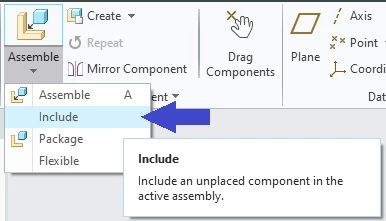
Unplaced assembly. You probbably need to define assembly constraints.

StephenW_0-1666269362534.png