1-Visitor
July 1, 2015
Solved

Pro engineer visual problem

  • July 1, 2015
  • 3 replies
  • 3309 views

Hi Guys,

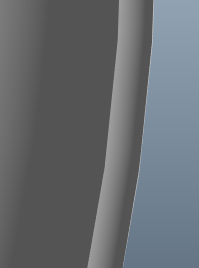
Can somebody tell me how to get rid of this problem:

untitled.png

as you could see on the picture above the lines are in teeth form and this is only on one pc in our office. can somebody advice me how to make these lines more smooth.

10x in advance and have a nice day !
    Best answer by mvanderlugt

    Hi Radoslav,

    Do all the PC's use the same config.pro settings?

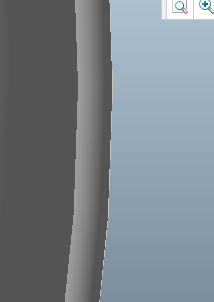
    You could try increasing the Anti-Aliasing under Entity Display Settings.

    AA_off.pngAA_on.png

    Off                                                                 On x16

    Regards,

    Miles

    3 replies

    24-Ruby III
    July 1, 2015

    Radoslav,

    look for differences between your PCs...

    Martin Hanak

    1-Visitor
    July 2, 2015

    Unfortunately there are 3 more pcs exactly the same (both hardwear and softwear) and i have this problem with only one of them

    24-Ruby III
    July 2, 2015

    Radoslav,

    my suggestions:

    • check version of graphics drivers
    • try to swap graphics cards between PC

    Martin Hanak

    14-Alexandrite
    July 1, 2015

    Did you try a higher shade quality in the options?

    1-Visitor
    July 2, 2015

    yes i did but there is no difference

    1-Visitor
    July 3, 2015

    Hi Radoslav,

    Do all the PC's use the same config.pro settings?

    You could try increasing the Anti-Aliasing under Entity Display Settings.

    AA_off.pngAA_on.png

    Off                                                                 On x16

    Regards,

    Miles

    1-Visitor
    July 3, 2015

    HI Miles could you kindly point me to this Anti-Aliasing option cause i cant find it

    10x in advance !

    Regards,

    Radoslav

    1-Visitor
    July 3, 2015

    In Creo

    File -> Options

    Then Entity Display.

    AA Options.png