16-Pearl
January 27, 2015
Solved

Transparent material and edge color

  • January 27, 2015
  • 3 replies
  • 3538 views

Hello all,

When I set a transparent material to a part, if I display that part in wireframe I can't see anything because edges have also a transparent color. Is it possible (config.pro option) to tell Creo that I don't want materials to affect edge color in Wireframe mode ? Thanks for you help.

I think, someone was talking about this a few weeks before but I can't find that discussion anymore.

Raphaël


This thread is inactive and closed by the PTC Community Management Team. If you would like to provide a reply and re-open this thread, please notify the moderator and reference the thread. You may also use "Start a topic" button to ask a new question. Please be sure to include what version of the PTC product you are using so another community member knowledgeable about your version may be able to assist.
Best answer by Mahesh_Sharma

Raphael,

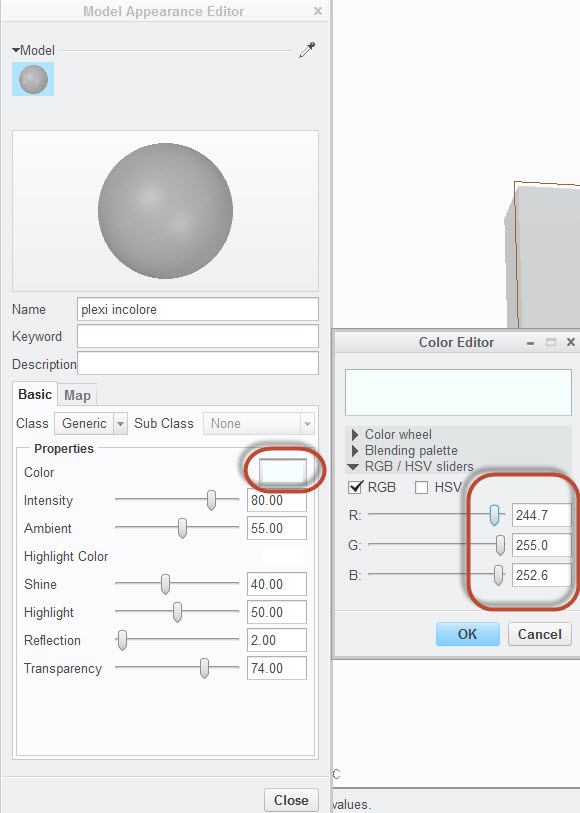
It is due to color assigned in appearance plexi incolore, which is almost similar to white. If you will change the color edges will display or you can change the background color to custom scheme (e.g. as in older versions).

display.jpg

No hidden Display with older background:

Scheme.jpg

3 replies

15-Moonstone
January 27, 2015

Hi Raphaël,

the only way I can think of is to assign a colour to the part and assign a different transparent material to the surfaces only.
This works if you want a edge colour different from the shading colour but I have not tried it with transparency...

23-Emerald III
January 27, 2015

Try using SHADING WITH EDGES instead of just SHADE.

Go to VIEW tab - DISPLAY STYLE - SHADING WITH EDGES

Steve

RaphMORIN16-PearlAuthor
16-Pearl
January 27, 2015

Thanks for you answers.

@Constantin : the method you give should work but it happens to often to use this heavy method. Thanks

@Stephen : In fact I mostly use shading with edges, in this case no problem, the problem is only in hidden line or no hidden line. See screenshots below where I show a simple part in these 3 modes.

Shaded mode : no problem

Capture_shaded.PNG

Hidden line mode : we only see hidden lines

Capture_hidden.PNG

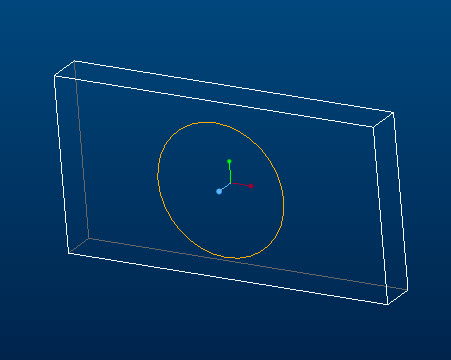
No hidden line mode : we can't see anything. I would like to see lines just as if no material was affected.

Capture_no_hidden.PNG

23-Emerald III
January 27, 2015

That's an odd problem. I tested it on my system and transparency doesn't affect hidden line or no-hidden display.

How are you setting your color?