
17-Peridot
March 29, 2017
Question

Turn off Set Datums in new view on Drawing

  • March 29, 2017
  • 3 replies
  • 3393 views

All,


Is it possible to turn off Set Datum's when adding a new view to a Drawing, last image? We are aware that layers control everything and drawing layers can override assembly/part layers. Here is the scenario and settings. We are using Creo Parametric 3 M070.


Config settings:

display_plane_tags         no

display_in_adding_view  minimal_wireframe


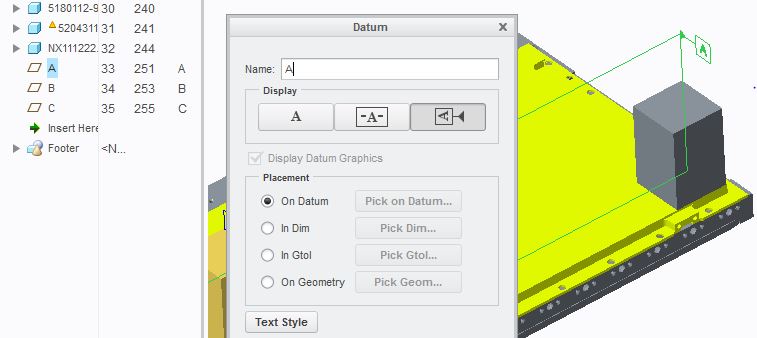
Assembly datum setting:

New Tag style w/ placement to On Datum
 

datum_2.JPG

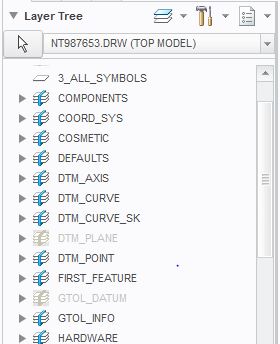
Layer settings:

draw_layer_overrides_model   yes

All datum layers are turned off in the drawing
datum_1.JPG


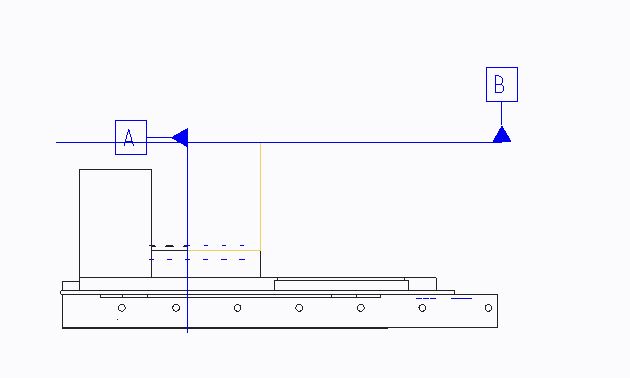
Once we place a view, the Set Datums automatically show, which kills us in large assemblies. Any suggestions?
 

datum_3.JPG

3 replies

23-Emerald III
March 29, 2017
23-Emerald III
March 29, 2017

And there is nothing worse than opening a large assembly drawing that was previously released and finding 100 more datums that have been "added" to sub-components that you don't care about...even worse, that group doesn't even try to fix the layers, it doesn't affect them. It only takes a second to erase one or 2 datums on their drawing...My drawing with hundreds or thousands of parts can take 10 to 15 minutes to select and erase datums...and have you ever tried to window select datums on a large drawing...and then try to RMB to get erase to show up...click and hold and hold and hold and hold and hope it works...sometimes it never does but you don't want to let go because you think, it's almost there...

ARRRGGGHHHH!!!!!! It is the single most infuriating issue I have with large assembly drawings...dare I say, for me, it's the single most infuriating issue I have with CREO.

(edited to add the smiley face to provide a bit a sarcasm and reduce the temporary insanity)

23-Emerald III
March 29, 2017

oops, I went off the deep end...