

Understanding how "Select Working Directory" works
I am trying to implement a search path file for the first time in an assembly. I have it mostly working, but there is one component I don't fully understand.
In the directory where the assembly is located I have a config.pro that points to the search_path_file (search.pro) located in the same directory. The search.pro then points to 3 other directories where appropriate parts for the assembly are located. In the search.pro, I have the directories contained in quotes because they contain spaces.
How I would expect this to work:
- Launch Creo
- My start-in directory is in My Documents
- I "Select Working Directory" and choose the directory that contains the assembly
- The parts are found and the assembly loads
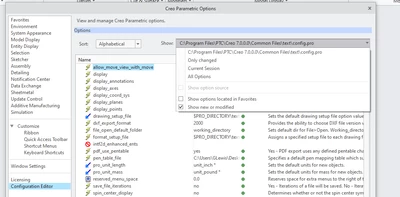
However, this doesn't work. Parts are not found and the assembly fails. In the Creo configuration editor, I cannot see the working directory config.pro nor the search_path_file option that in that configuration file. As seen in the image below, using this method, only the master config.pro shows up.
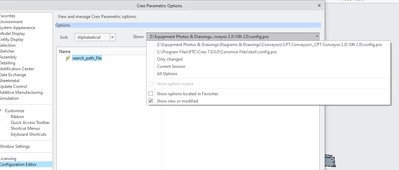
The only way I can get this to show up in the configuration editor and to get the parts to load automatically is to instead change the "Start in" location of my Creo launch shortcut to the assembly directory. As seen below, I can now see the additional config.pro file.
Is this normal behavior? Should I not be able to use "Select Working Directory" and have the config.pro load and find my parts?