
13-Aquamarine
Feb 2, 2016 4:54 PM UTC
Solved

Windows Settings - dragging Creo windows leave remnants on screen

I recently upgraded workstations and have an issue with dragging one Creo window past another leaving remnants on screen.  Is there a windows setting to eliminate this?  See attached screenshot.
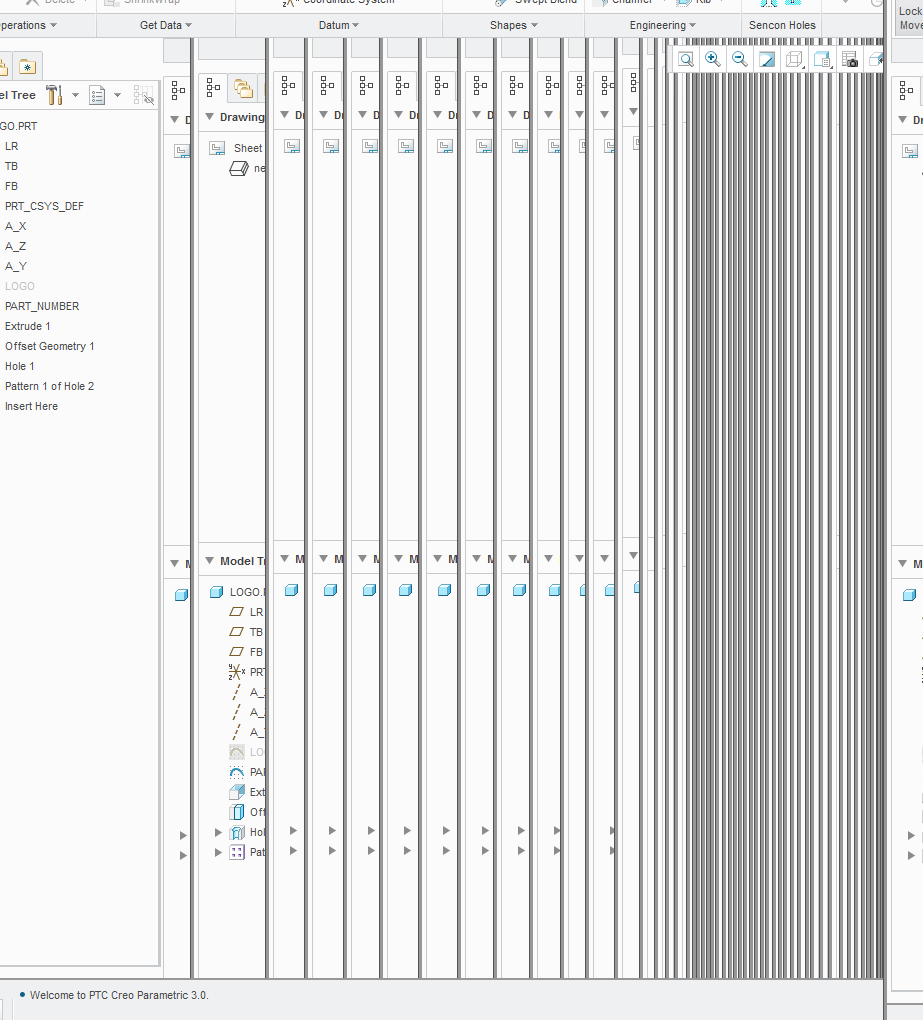
windows creo screen.png


This thread is inactive and closed by the PTC Community Management Team. If you would like to provide a reply and re-open this thread, please notify the moderator and reference the thread. You may also use "Start a topic" button to ask a new question. Please be sure to include what version of the PTC product you are using so another community member knowledgeable about your version may be able to assist.
13-Aquamarine
Feb 2, 2016 6:43 PM UTC

Unchecking the "show windows contents while dragging" is the correct answer.  In Windows 7 this is accessed under control panel; System; Performance Information; Adjust visual effects.

2 replies

21-Topaz II
Feb 2, 2016 6:25 PM UTC

I've seen that temporarily but once you let go they'd disappear.  The setting that eliminated it, back on XP I think, was unchecking "show window contents while dragging". I have no idea if that's still around in Windows 7 and on.

Translate
BillChapman13-AquamarineAuthorAnswer
13-Aquamarine
Feb 2, 2016 6:43 PM UTC

Unchecking the "show windows contents while dragging" is the correct answer.  In Windows 7 this is accessed under control panel; System; Performance Information; Adjust visual effects.

Translate