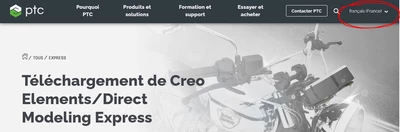
Best answer by Kotom-Eng

Try another language for the web page. French for example. Anyway Modeling Express will be in English.


KotomEng_0-1673729201499.png


1 reply

Kotom-Eng16-PearlAnswer
16-Pearl
January 14, 2023

Try another language for the web page. French for example. Anyway Modeling Express will be in English.


KotomEng_0-1673729201499.png


1-Visitor
January 14, 2023

thankyou!

(or should I say merci!)

17-Peridot
January 15, 2023

Hello
Still as a supplement.
Excerpt from this article
https://www.ptc.com/-/media/Files/PDFs/CAD/Creo/37318-CED-Topic-Sheet-assets-1.pdf

page 3 of 5

FriedhelmK_0-1673779869209.jpeg

Unfortunately it seems that French and Spanish are again only available in the paid version.

This was already the case in version 6.
The download link is the same for every language setting of the download page.
https://www.ptc.com/-/media/Files/creo/elements-direct/64-bit/ModelingPE__setup_EN.exe
If you now change for example the link for German   from EN to DE   

https://www.ptc.com/-/media/Files/creo/elements-direct/64-bit/ModelingPE__setup_DE.exe

Then you can download this version.

FriedhelmK_1-1673780677285.png

Changing to 'FR' unfortunately does not work.

Since I am German-speaking, I have first installed the English version and then the German version.
The result is that I can start both languages.

FriedhelmK_3-1673781002691.png


See also this "old" topic

https://community.ptc.com/t5/3D-Part-Assembly-Design/Change-language-PTC-Creo-Elements-Direct-Modeling-Express-into/td-p/217235