
1-Visitor
December 13, 2016
Question

Eclipse Intergrity plugin not showing correctly

  • December 13, 2016
  • 2 replies
  • 2384 views

Hi,

we are using Integrity 10.8 .

In Eclipse Luna the Toolbar in Eclipse looks like this:
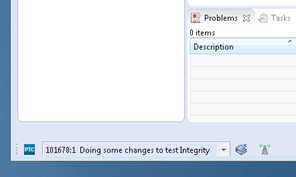
Integrity_Toolbar_Eclipse_Luna.jpg

Starting with Eclipse Mars the Toolbar looks like this:
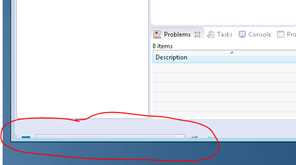
Integrity_Toolbar_Eclipse_Mars.jpg

Even more in the meantime I've got several instances shown in Eclipse in a workspace.
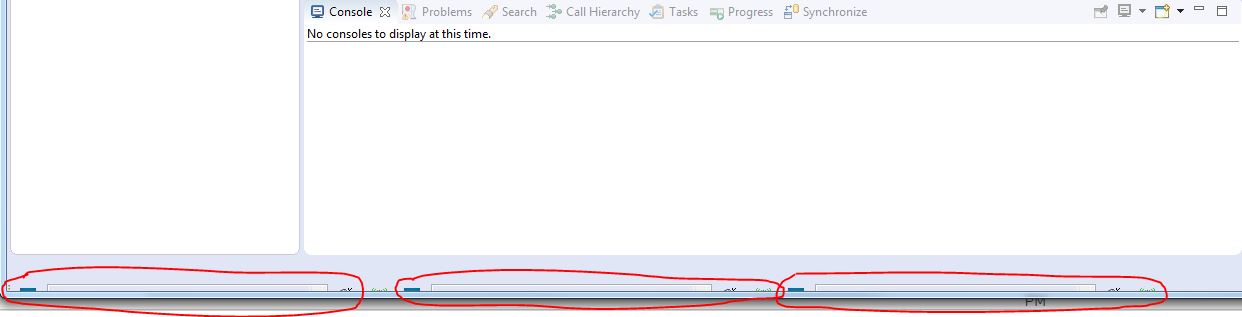
Integrity_Toolbar_Eclipse_Multiple.jpg

As in another workspace only one instance is shown, where is the setting to reduce the instances back to 1?

THX in advance.

Dirk

    2 replies

    5-Regular Member
    December 13, 2016

    Hi Dirk,

    Integrity's integration with Eclipse does not currently support Eclipse Mars (4.5).  It only supports up to 4.4.x.

    What you are seeing, is a known issue with 4.5, since it's not supported yet.

    I recommend posting and voting for, a product idea here on the Community.  I'm sure you'll have others wanting newer versions of Eclipse supported soon as well.

    dwibben1-VisitorAuthor
    1-Visitor
    December 14, 2016

    Hi Michael,

    THX for the answer. I did just so with the 'Product Idea'.

    What about the multiple instances issue described at the bottom of my original request above?

    Greetings

    5-Regular Member
    December 14, 2016

    Do you see that in Eclipse 4.4, or just in 4.5? I imagine, it's related to 4.5 being not supported.

    5-Regular Member
    October 31, 2018

    Support for Eclipse 4.5+ integration plugin has been added in ILM release 11.2 :EclipseIntegrationPlugin_PlatformSupport.jpg


    You can also find this information in ILM Product Integrations guide located at : https://www.ptc.com/support/-/media/DDA14C6244594C7697DB3A822A9459C5.pdf?sc_lang=en


    Note : We're also releasing Eclipse 4.8 Integration plugin with Integrity Lifecycle Manager 12.1 in coming months.