
1-Visitor
January 10, 2015
Solved

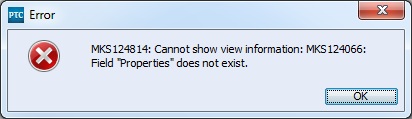
Error MKS124066: Field "Properties" does not exist.
  • January 10, 2015
  • 2 replies
  • 4732 views

mks124066error.jpg

MKS124814: Cannot show view information: MKS124066: Field "Properties" does not exist.

Recently I started getting these errors when opening documents. They also seem to pop up when creating a trace via drag-and-drop. If I refresh the document or close it and open it again then it will open fine the second time. Also, if I just repeat the drag-and-drop then it'll work fine the second time. I'm not really sure what might be causing this. I don't have a field called Properties so I guess the prompt is right but I don't know why that's an error. Has anyone else seen this before? I probably caused this by changing something but I don't know what it would have been.

    Best answer by nborrerojr.

    I did get an answer through PTC support. The trick was to use the below command to find where Properties was being referenced.

    im types --fields=name,properties --fieldsdelim=~

    Then we searched for the term "Properties"

    I forget specifically what property had it, but somehow the term "Properties" was actually one of the values for the property. I don't know how it happened but it is fixed now. I think it was either MKS.RQ.Editability.1 or MKS.RQ.Editability.Document.1.

    2 replies

    21-Topaz I
    January 12, 2015

    Hi Nolin,

    This sounds like it could be a saved preference after someone deleted or renamed the Properties field. Check out Article 90728 for details about a possible cause for this and a workaround you can try.

    1-Visitor
    January 12, 2015

    Do you mean a field literally named "Properties"? I've never had a field with that name. Could this be somehow related to a type property?

    Is there an error log somewhere that I could find out more info on what's causing this error?

    21-Topaz I
    January 12, 2015

    Yes, I meant a field named "Properties", which could have been on another Integrity Server your client connected to. The client tends to save preferences such as what fields were visible in a given view. If you were to use that same viewset and connected to a different server, the client could throw that error because FieldX does not actually exist on that other environment.

    If you check the IntegrityClient.log file with DEBUG logging enabled, you may see some more details about what is requesting that field data. The Integrity Client log is normally found in C:\Program Files (x86)\Integrity\IntegrityClient10\bin\

    1-Visitor
    February 3, 2015

    Nolin,

    Did you ever find a resolution for this? Was it a deleted field or something else?

    nborrerojr.1-VisitorAuthorAnswer
    1-Visitor
    February 3, 2015

    I did get an answer through PTC support. The trick was to use the below command to find where Properties was being referenced.

    im types --fields=name,properties --fieldsdelim=~

    Then we searched for the term "Properties"

    I forget specifically what property had it, but somehow the term "Properties" was actually one of the values for the property. I don't know how it happened but it is fixed now. I think it was either MKS.RQ.Editability.1 or MKS.RQ.Editability.Document.1.

    16-Pearl
    February 4, 2015

    This case solution was captured in CS86163, which files you against RFC 119502.

    Regards,

    Kael