Solved
How to find out out the original Archive information for Shared Member
Hello Support,
When I share a member from one sub-project to another sub-project, the icon at both the sub-project's shared member becomes SHARED HAND symbol similar to Add Shared SubProject.
Now for Shared Sub-Project if I see the "view information" menu, I can understand the original Sub-Project location from the shared location.
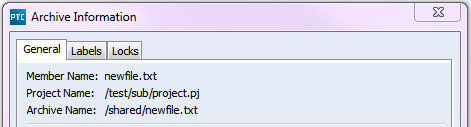
For the Shared Member, "view information" menu output doesn't show the original location from where it was shared. It shows the corresponding project location for both the places [Shared and Source location].
Question is how do I find out where is the source location and where is the shared location for a Shared Member?
Any clue will help me a lot.
Thank you.
Regards