
1-Visitor
October 13, 2013
Solved

MKS Integrity 2009 starup error

  • October 13, 2013
  • 3 replies
  • 5551 views

Hi,

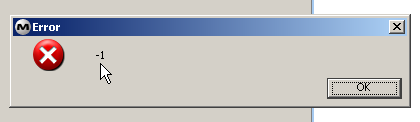
The MKS Integrity Client 2009 produces an error when I try to open the application, and blocks out my computer. The error is an window with title "Error" and the only text "-1", and thats all. The application enters a loop showing this error, and have no other choise than reestart the computer.

I'm running MKS Integrity Client 2009 with service pack 6 in a Windows XP Pro computer for more that a year without any problem. The error started after I installed either the last Windows XP updates (around 8th to 10th -Oct-2013) or LabView 2010.

This is the error windows:
2013-10-13+10_45_09-MKS+Source+Integrity+ViewSet+-+MKS+Integrity+2009.png

I tried installing service pack 7, but the error persists.

Did someone have this error?

Cheers,

Pedro

    Best answer by mrump

    We faced this problem several times with 2009 and it might be related to the following scenarios:

    - You have had a project/sandbox view open ans selected inthe client the last time you used it. this project or sandbox does not exist the server anymore.

    - Your Admins changed some relationship fields that were use in relationship view you have had opened the last time your run the client.

    - some other magic we don't know

    A good way to solve this was to rename/remove the "IntegrityClient.rc" file in your user home. This is the place were all the settings from the last run are stored.

    In Addition you can rename/delete the ".mks" directory in your user home, where all customized view and viewset related data is stored.

    HTH Matthias

    3 replies

    1-Visitor
    October 16, 2013

    It is possible that the XP updates have changed the OS environment somehow. (File permissions and PATH definitions would be my first guess. ) The quickest fix would probably be to back up your client configuration files and re-install the client.

    mrump16-PearlAnswer
    16-Pearl
    October 17, 2013

    We faced this problem several times with 2009 and it might be related to the following scenarios:

    - You have had a project/sandbox view open ans selected inthe client the last time you used it. this project or sandbox does not exist the server anymore.

    - Your Admins changed some relationship fields that were use in relationship view you have had opened the last time your run the client.

    - some other magic we don't know

    A good way to solve this was to rename/remove the "IntegrityClient.rc" file in your user home. This is the place were all the settings from the last run are stored.

    In Addition you can rename/delete the ".mks" directory in your user home, where all customized view and viewset related data is stored.

    HTH Matthias

    pjiménez1-VisitorAuthor
    1-Visitor
    October 17, 2013

    Hi,

    Thanks for your support. As you pointed out, I could solve the problem deleting the .mks directory from my home folder.


    Cheers.

    21-Topaz I
    October 17, 2013

    This was due to a problem with the viewset being loaded upon client startup. It was really a JVM problem and has been fixed in the Integrity 10.0 and later releases. As already pointed-out, deleting/renaming the .mks folder will fix the problem since it contains the current client viewset files and the folder will be recreated on next client startup.