
1-Visitor
Apr 21, 2016 4:40 PM UTC
Solved

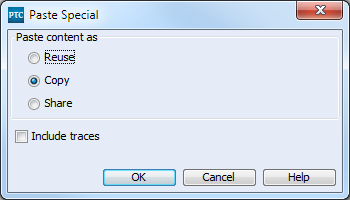
Paste Special - Include Traces
pasteSpecialIncludeTraces.png

When using Paste Special and checking Include Traces, it doesn't seem to actually include the traces. What is required for this to work? I tried setting those relationship fields to by Copy Fields but then you can't copy without including the traces. I'm using Integrity 10.7.

    1-Visitor
    Dec 5, 2016 5:37 PM UTC

    Apparently when the relationships were made, the checkbox for "Trace" wasn't checked so that's what broke this.

    4 replies

    5-Regular Member
    Apr 22, 2016 2:40 PM UTC

    Nolin,

    This should work.  Can you provide more info?  Is this a case where the trace is actually happening, but the trace status is not updating or refreshing to actually show that?  If so, that may be a known issue.  What version of Integrity are you using?

    Translate
    1-Visitor
    Apr 25, 2016 8:42 PM UTC

    am using Integrity 10.7. The trace does not copy unless that specific relationship is included in the copy fields. Refreshing to document has no effect.

    Translate
    1-Visitor
    Aug 29, 2016 4:23 PM UTC

    I'm running into this issue again. As a temporary fix, I've added the relationship field to the Copy Fields but now it always copies which means I have to go into the field and delete the traces after pasting the item if I don't want them.

    We are still using Integrity 10.7. I've confirmed that unless I have the relationship field in the Copy Field, it is not creating the trace.

    What steps should make this work?

    Translate
    nborrerojr.1-VisitorAuthorAnswer
    1-Visitor
    Dec 5, 2016 5:37 PM UTC

    Apparently when the relationships were made, the checkbox for "Trace" wasn't checked so that's what broke this.

    Translate