
1-Visitor
December 13, 2016
Question

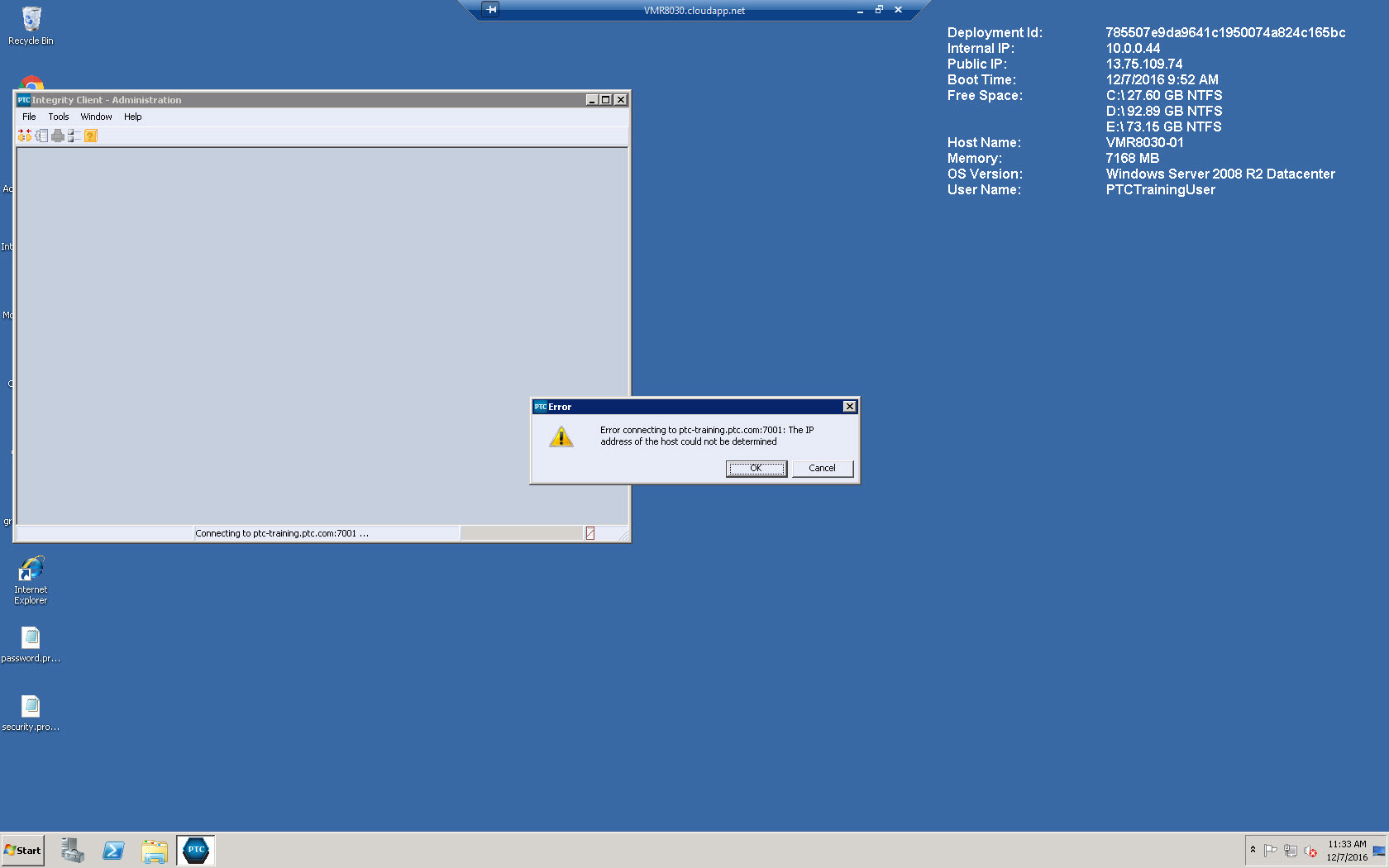
While launching Integrity Client- Administration showing the error : Error connecting to ptc-training.ptc.com:7001: The IP address of the host could not be determined.

  • December 13, 2016
  • 2 replies
  • 4428 views

Hi,

Trying to launch Integrity client - Administration . but showing the error as Error connecting to ptc-training.ptc.com:7001: The IP address of the host could not be determined. as shown in ImageIntegrity error.jpg
    2 replies

    1-Visitor
    December 13, 2016

    Clear out your host and port information in preferences and reenter it.  I just close the session and start over.  it happens less frequently if you have your login set up to prompt for host / port and user ID / password.

    manpatil1-VisitorAuthor
    1-Visitor
    December 14, 2016

    Can you tell me which values should I provide for Microsoft SQL Server Database as shown belowIntegrityy.jpg

    While Installation Integrity Client I have provided values as

    Host Name = ptc-training.ptc.com

    port = 7001

    5-Regular Member
    December 15, 2016

    Manoj,

    Are you still in the process of actually trying to install the Integrity server?  This screenshot is from that, so if so, you're not going to be able to connect using the admin client, until all of this is done?  Your SQL Server DBA should be able to provide you the values for the database (or whoever created the SQL server database being used for this).

    5-Regular Member
    December 14, 2016

    Try this:

    Edit the <installdir>config\properties\is.properties file, and set the "mksis.hostname" property to the machine name

    Example: mksis.hostname= ptc-training.ptc.com

    Set the local DNS

    Go to "C:\Windows\system32\drivers\etc\".

    Edit the "hosts" file.

    Add the following line:

    127.0.0.1                 ptc-training.ptc.com

    Restart the machine