
1-Visitor
November 18, 2015
Solved

why xml is treated as a binary in Integrity 10.5

  • November 18, 2015
  • 2 replies
  • 1837 views

hello, I have xml files that want to upload to our PTC Integrity Source server 10.5

I noticed when I choose Data Type to "Auto" (default), then the file is sucessfully loaded, but as binary, and I miss the PTC integrity keywords expanded there.

when I try to use "Text",  then  I got the error message as attached
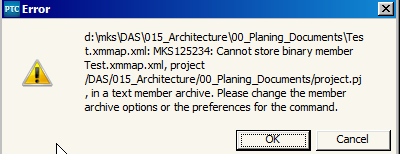
ScreenShot2057.png

I don't understand why, because file is valid xml , and can be opened by any text editor and browser.

see a sample small XML file attached.

just in case, this is version we are using here
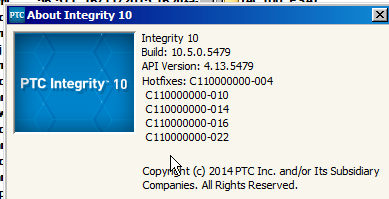
ScreenShot2058.png

Thanks for any help in advance,

Regards,

Pablo

    Best answer by JoeBartlett

    The reason this XML file is identified as Binary is because there is a single line of text longer than 16k characters.

    See Article 84232 for details.

    2 replies

    16-Pearl
    November 18, 2015

    I use v10.4 and have no problems with xml files.

    I had a quick look at the file you enclosed and it does seem to contain binary data.

    Do you have a smaller, simpler, pure text file you could test with?

    If this file is generated by another application, you may want to add a true text-xml file first with the same name to force Integrity to register it as text, then check-in the real file and see what happens.

    21-Topaz I
    November 18, 2015

    The reason this XML file is identified as Binary is because there is a single line of text longer than 16k characters.

    See Article 84232 for details.