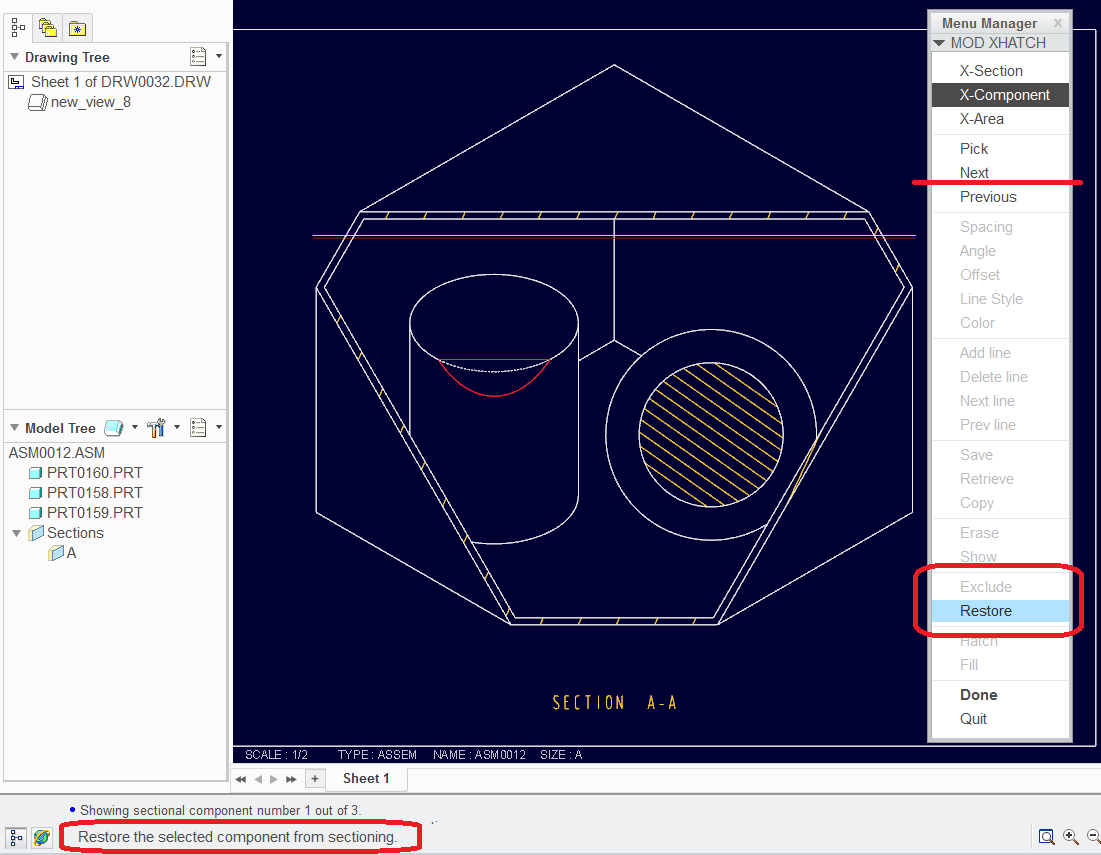
If I assume correctly, the old method of excluding components from a cross section is in the drawing cross section edit dialog. You can exclude components there (same dialog as changing the hatch pattern). When you regenerate the drawing, the component you excluded will come back "whole".
That is not a flash player. CamStudio creates AVI files. They have a flashplayer option, but in my preferred version, it doesn't work (V2.6 beta). I have mine set to the Radius Codec for better shade quality. Otherwise, it is pretty much out-of-the-box. I will say that the You-Tube conversion is much better than this forum's compiler (Dan? can you do something about that?)
Back to the section, however; I would still say that you can do what you want with the local section with the extra step of "restoring" the components that get section unintentionally. The logic is simple... if you wrap your mind around it... you rip off a big chunk of the box (container) and the only place that it is actually missing is inside the "local" spline. Edit the hatching in the drawing and exclude the components in the box.