
1-Visitor
September 15, 2015
Question

Explode Line Issue

  • September 15, 2015
  • 2 replies
  • 8827 views

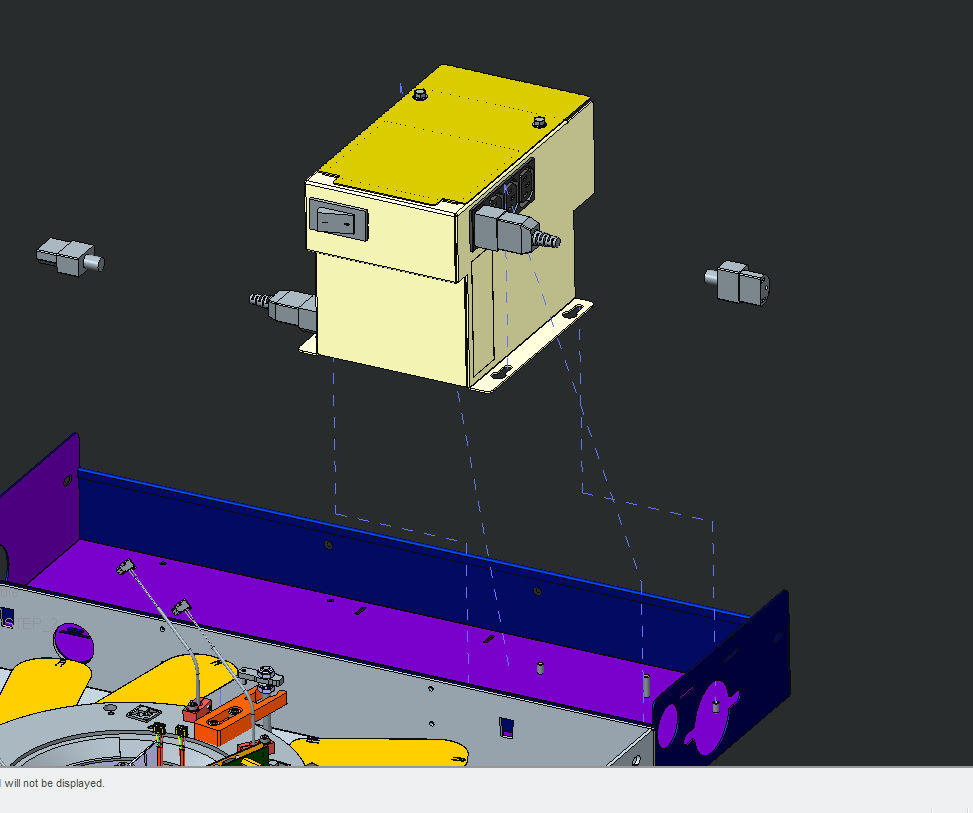
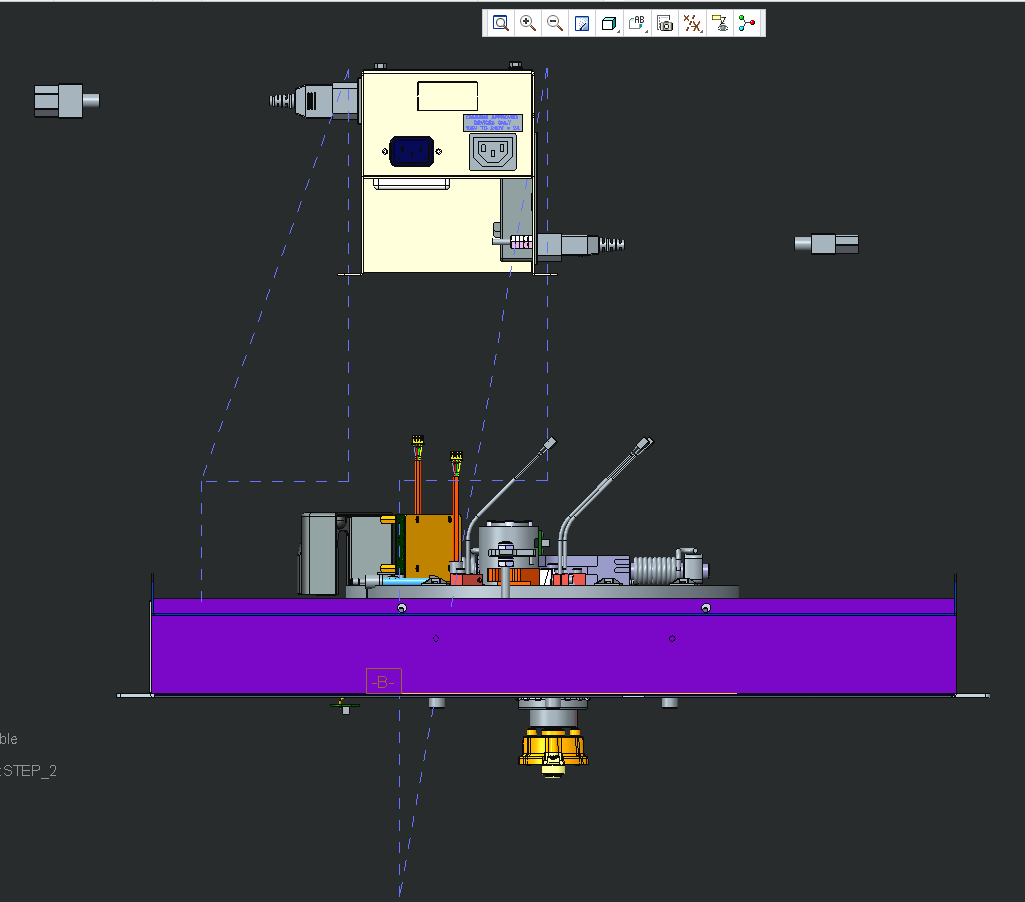
Every time I make an explode line it is a coin flip whether it goes wonky or not. Even with the same pick points from drawing to drawing. I would like to know if this is a bug or am I doing something wrong. I am trying to make them go up, over and then up again. There are 4 spots where kep nuts are located to slots on the part. I have picked axis to axis, axis to surface and surface to surface and tried several different spots for when I pick. Sometimes I get 2 lines that are correct, other times I get only one correct line and more often than not they are all screwy.

What I have been doing is once I put in the explode line, I got to a side view and edit the line and add jog sections and adjust it as needed. It is a major pain.
EXP 1.png

EXP 2.png

2 replies

1-Visitor
September 15, 2015

Yep, that's pretty much how it works according to my experience.

I don't think PTC has put in any effort into the "explode lines" functionality since the 90's.

If you can, cast your vote towards these related "product improvement ideas":

Easily manage the Lines in explode State

Explode lines editing in an expolde state; Re-establish a new reference.

Smart Explode line - Assembly mode‌‌ - this is a funny one

There are many others ideas posted, and I hope they will be considered with enough votes, but I am starting to think that PTC just wants people to buy $20,000 license of Creo Illustrate to generate such documentation...

jcolon1-VisitorAuthor
1-Visitor
September 16, 2015

Off subject... How do I vote? I have tried on other subjects and even with these you posted and still cannot figure out how to cast my own vote.

23-Emerald III
September 16, 2015

If you click on the links, do you see the IDEA? If you can't see the idea, it means you don't have access to IDEAS, which requires current PTC maintenance.

You vote by clicking the up or down arrow

idea.jpg

5-Regular Member
August 1, 2018

Hi guys,


This seems to be already quite old thread, but according to my experience, the explode line direction is determined by the location on the surface, what is clicked. Please see attached picture.

So if you select cylindrical surfaces by clicking on the cyan arrow positions, you probably get explode lines pointing to "wrong" direction. By clicking on the blue arrow positions, the explode lines are in correct direction.


I guess it has something to do with the midpoint of the cylinder axis. I try to explain it in the picture below:

So if you clink on the blue arrow position, Creo creates a centerline as long as the selected surface. I think the selection actually selects a point on the centerline (green cross). Then the explosion line is pointing from this point towards the midpoint of the centerline (cyan arrow). So if you have deep holes, you have to click deep inside the hole to get the explosion line pointing outwards.


Ville


14-Alexandrite
July 31, 2020

I have tried clicking on different parts of the cylindrical axis with zero luck.  The explode line does whatever it wants, which seems to be correct %50 of the time.

kdirth
21-Topaz I
21-Topaz I
July 31, 2020

My experience has been that selecting a cylindrical surface is a crap shoot as to which direction it will go.  The majority of the time it will go the direction I want, but many times it does not especially when the cylinders are not lined up perfectly.  Showing the axis and selecting the end of the axis is a much more reliable way to control the direction.

There is always more to learn.