10-Marble
January 21, 2019
Solved

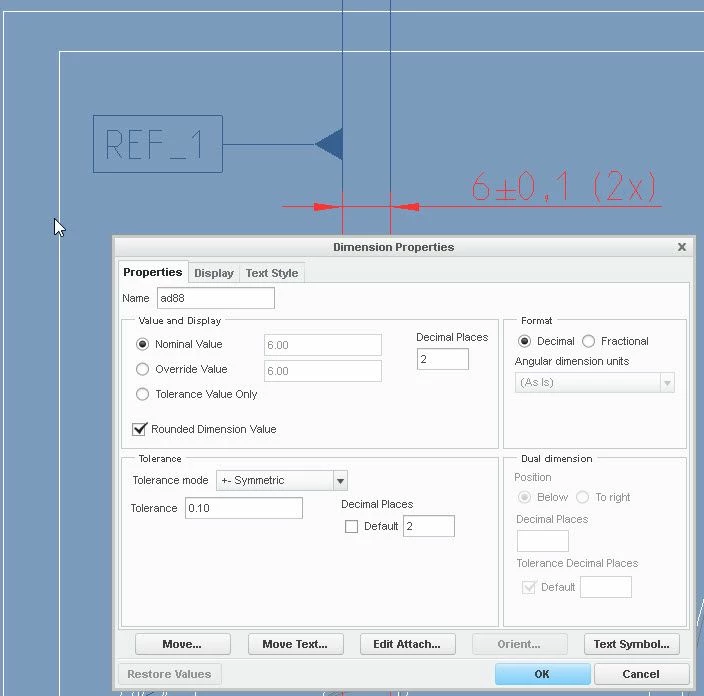
How do I add zeros after the decimal place? (Creo 2 Drawing) ?

  • January 21, 2019
  • 1 reply
  • 8716 views

Dimension_with_zeros_after_decimal.jpg

Best answer by melreynolds

Hi MaheshSh, that has worked.

I needed to select "Std_English" to allow the inclusion of zeros.

Thanks for both your help guys.

Best regards,

Mel

1 reply

10-Marble
January 21, 2019
I have set the decimal places to 2 however the dimension still displays without any zeros. Also the over-ride option does not work.
21-Topaz II
January 21, 2019

Is this a metric drawing? I believe the standard is to have no trailing zeros on metric dimensions and Creo upholds that standard. I don't know if you can override the behavior, but if so it's got to be a "drawing.dtl" setting.

10-Marble
January 21, 2019
Yes it's a metric drawing. I've tried a few settings but i have not been able to display as 6.00