Layer Rules and Submodel Selection Behavior Issues
I have a model I'm working on understanding / animating. It has a number of datums added within subassemblies.
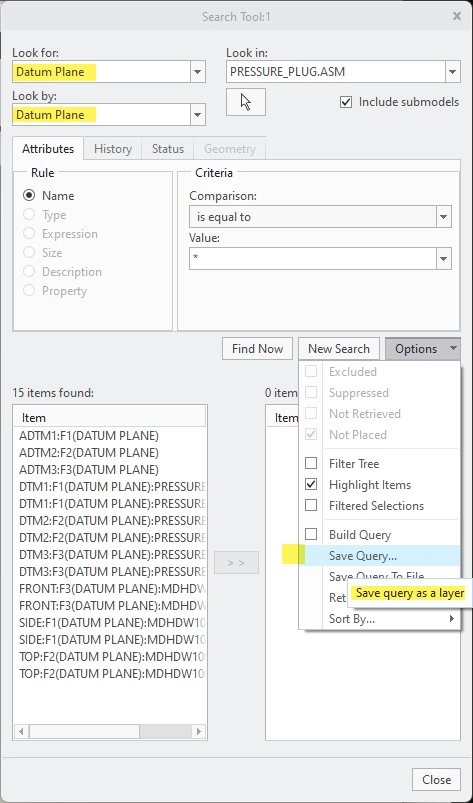
In searching for the easiest way to hide all datum planes (which for some reason don't disappear when I turn off plane visibility) I found a method recommended to:
- Create a Layer
- Add elements to layer
- Hide Layer
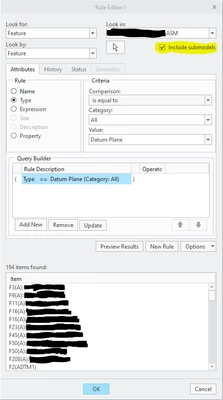
This is looking pretty good, and when I go to add all the datum-planes using a Rule, all the layers I want to hide are "collected." NOTE: Include submodels is selected.
As you can see it shows 194 elements found that match [Type = Datum Plane]
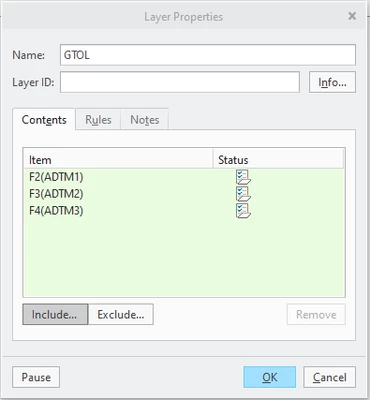
When I hit OK however, only the assembly default 3 remain in the filter.
See the rules and Options for this selection:
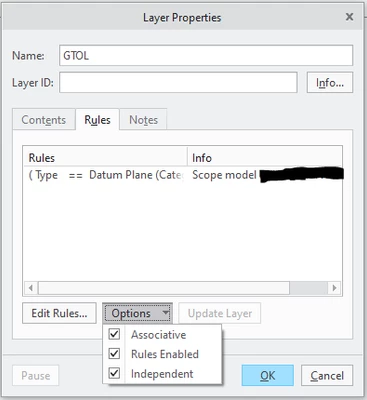
When I press "Edit Rules" shown above, the Include Subbodels is no-longer selected...
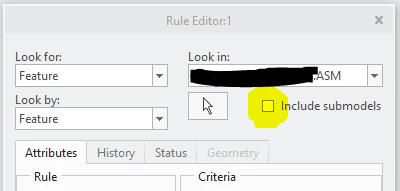
This seems to correlate with the results that I'm getting.
Not sure where to go from here. Really just looking for an effective way to hide Datum Planes that are not actuated by the  Plane Display button...
Thanks in advance for any advice.