8-Gravel
February 21, 2023
Solved

Layer rule based

  • February 21, 2023
  • 2 replies
  • 1801 views

Hi guys, Im still little bit confused in rule based layers ... 

Im currently working on Clearance&Creepage analysis and I didnt find any nice tool to hide all insulator when Im setting my nets so I decide to hide all PARTS with CTI over 0 by rule based layer ... The CTI is in parametres of each part but I didnt find out how to do that ... Is it possible to make rule with parametres ? 


Thanks 
Best answer by msmith

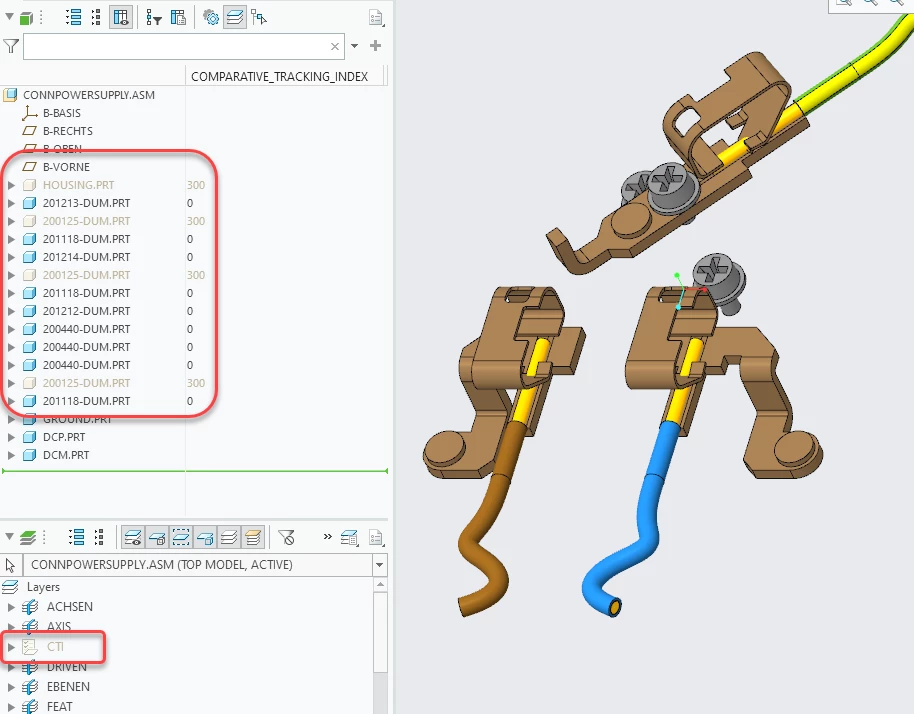
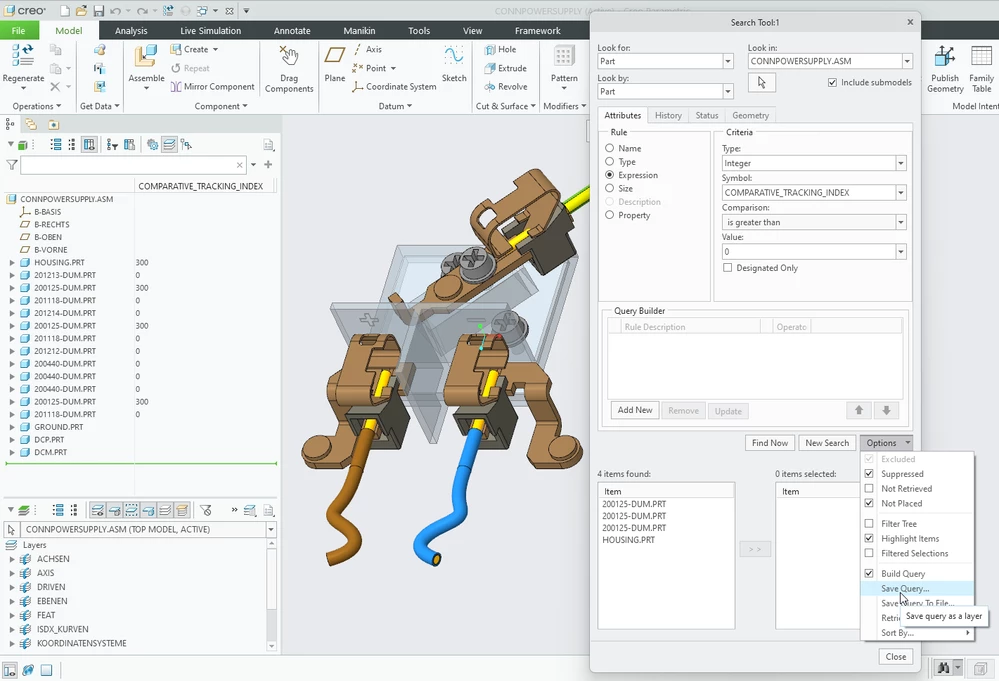
Just to add a bit more to this with a relevant example, the Search Tool is the engine for defining a Rule Based Layer and you can define the layer starting from the Layer Tree (RMB > New Layer > Rules) or directly from the Search Tool (Options > Save Query). Here's an example for this use case finding Parts with a specific Parameter name and value:


msmith_1-1677266189843.png

msmith_2-1677266250681.png


2 replies

tbraxton
22-Sapphire II
22-Sapphire II
February 21, 2023

Yes, but within the functionality of the search tool. The search tool does support queries using attributes which includes parameters.


Attributes—Search for items based on their attributes (Name, Type, Parameters, Size, Description, or Property)


See this link for an overview of the search tool functionality.

https://support.ptc.com/help/creo/creo_pma/r9.0/usascii/index.html#page/fundamentals/fundamentals/About_the_Search_Tool_Dialog_Box.html# 

msmith14-AlexandriteAnswer
14-Alexandrite
February 24, 2023

Just to add a bit more to this with a relevant example, the Search Tool is the engine for defining a Rule Based Layer and you can define the layer starting from the Layer Tree (RMB > New Layer > Rules) or directly from the Search Tool (Options > Save Query). Here's an example for this use case finding Parts with a specific Parameter name and value:


msmith_1-1677266189843.png

msmith_2-1677266250681.png


8-Gravel
February 27, 2023

Thanks guys, it really helped !