
14-Alexandrite
Jan 10, 2017 8:18 PM UTC
Solved

Photo-Realistic Rendering in Creo 4.0 F000 is not starting

Hi!


does anyone successfully run Photo-Realistic Rendering in Creo 4.0 F000???


When I press at button PR_Button.PNG no action happen???
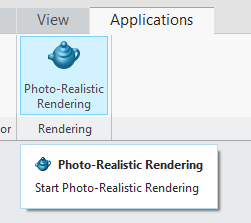
 

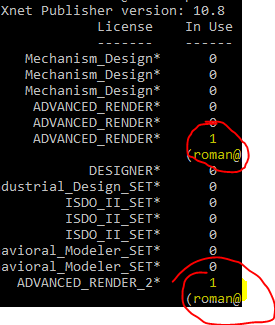
I tried with both advance renderer licenses I got and no positive results - only license visible consumption ;-(
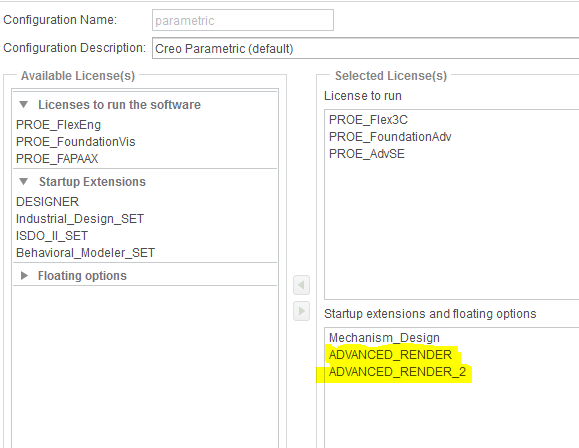
AR.PNG

ARL.PNG


is this a bug in this first F000 release of Creo 4.0?

18-Opal
Jan 24, 2017 8:59 PM UTC

The Photo-Realistic Rendering requires the Advanced Render III license.  This is a known issue and Tech Support has filed SPR 6327272 against the lack of a missing license message when attempting to access this function.

Refer to article CS253200 for additional information.  If you are unable to access the article, please first create an account here.

4 replies

StephenW
23-Emerald III
Jan 10, 2017 8:56 PM UTC

There was a long discussion here Re: Creo 4 Photo-Real Rendering - Anyone Try yet?

Maybe a license update is needed.

Translate
rsobecki14-AlexandriteAuthor
14-Alexandrite
Jan 11, 2017 9:09 AM UTC

Thanks for your feedback - we'll investigate and check if license update will help!

Translate
18-Opal
Jan 24, 2017 8:59 PM UTC

The Photo-Realistic Rendering requires the Advanced Render III license.  This is a known issue and Tech Support has filed SPR 6327272 against the lack of a missing license message when attempting to access this function.

Refer to article CS253200 for additional information.  If you are unable to access the article, please first create an account here.

Translate
rsobecki14-AlexandriteAuthor
14-Alexandrite
Jan 25, 2017 5:15 AM UTC

You are right - I can confirm this - thanks!

only pity is if I'm accessing my machine using remote desktop, Creo crash when I click at Photo-Realistic Rendering

Perhaps it is because as I'm guessing hardware accelertion is set to off or something...

Translate