

automated scaling of text size for annotations
Hello
I'm defining Combination States as I use them for 2D drafting views (trying to do so). E.g. Collecting all the Annotation to them which are belonging to the described product features for detailing views.
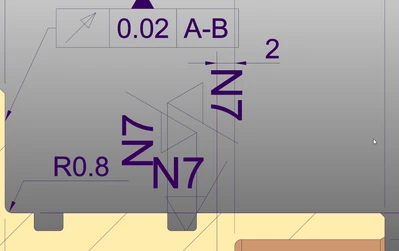
For large features this works well, but for smaller features (see image) the text size jams the space.
Quite quickly the model is much too small for the representation of the Combination State with all dimensions or symbols in it.
I would like to know whether anybody knows an Option to make Creo automatically scaling Annotations according the computer (cad) window. So that the text always has the same size compared with the window size.
With such an option I could add the 3D Annotation to very small parts, so when I zoom in (as I do in 2D with the scale for the geometry, but the text remains scaled to the drawing size).
Thank's in advance for hint's.
PB