16-Pearl
March 26, 2025
Solved

Creo simulate *.gif export

  • March 26, 2025
  • 1 reply
  • 1805 views

Hello,
I'm trying to export *.gif files from a modal analysis, but the quality is extremely poor. The only available formats are *.avi and *.mpg β€” which is fine, I can convert them afterward β€” but the video quality is unacceptable.

I don’t understand why I can export simulation images as *.jpeg in absurdly high resolution, yet when it comes to videos, the quality is so low. There are compression artifacts, text becomes unreadable, and any small details in the model are completely lost in a blur of pixels.

Is there any way to improve the quality of exported video or gif files?
ilyachaban_0-1742974337595.png


Best answer by ilyachaban

So, let's try approach you've recommended.

step 1: create mapkey which goes through all frames.
step 2: create mapkey which makes screenshots
step 3: join them together


NOW WE HAVE ALL SCREENSHOTS AT THE SAME FOLDER( MAPKEY IS RIGID SO IF THERE IS MORE OR LESS FRAMES MAPKEY WON'T WORK PROPERLY )

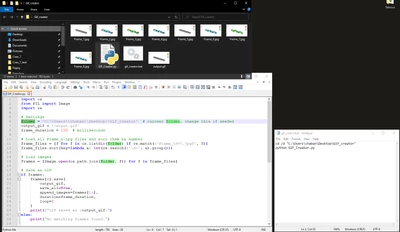
step 4: create something which is callable from creo and can make gif from screenshots for us
step 5: creating python script which parces folder and collects frames
step 6: creating part of code which joins all frames into 1 gif
step 7: creating *.bat file which is now callable from PTC creo (bat file can call compiled python as *.exe file or we can do it and call python script by py command)
step 8: test everything
step 9: WIP create modifications which will allow flexibility of this mapkey(more/less frames, go through modes, etc. )

ilyachaban_0-1743077101314.png


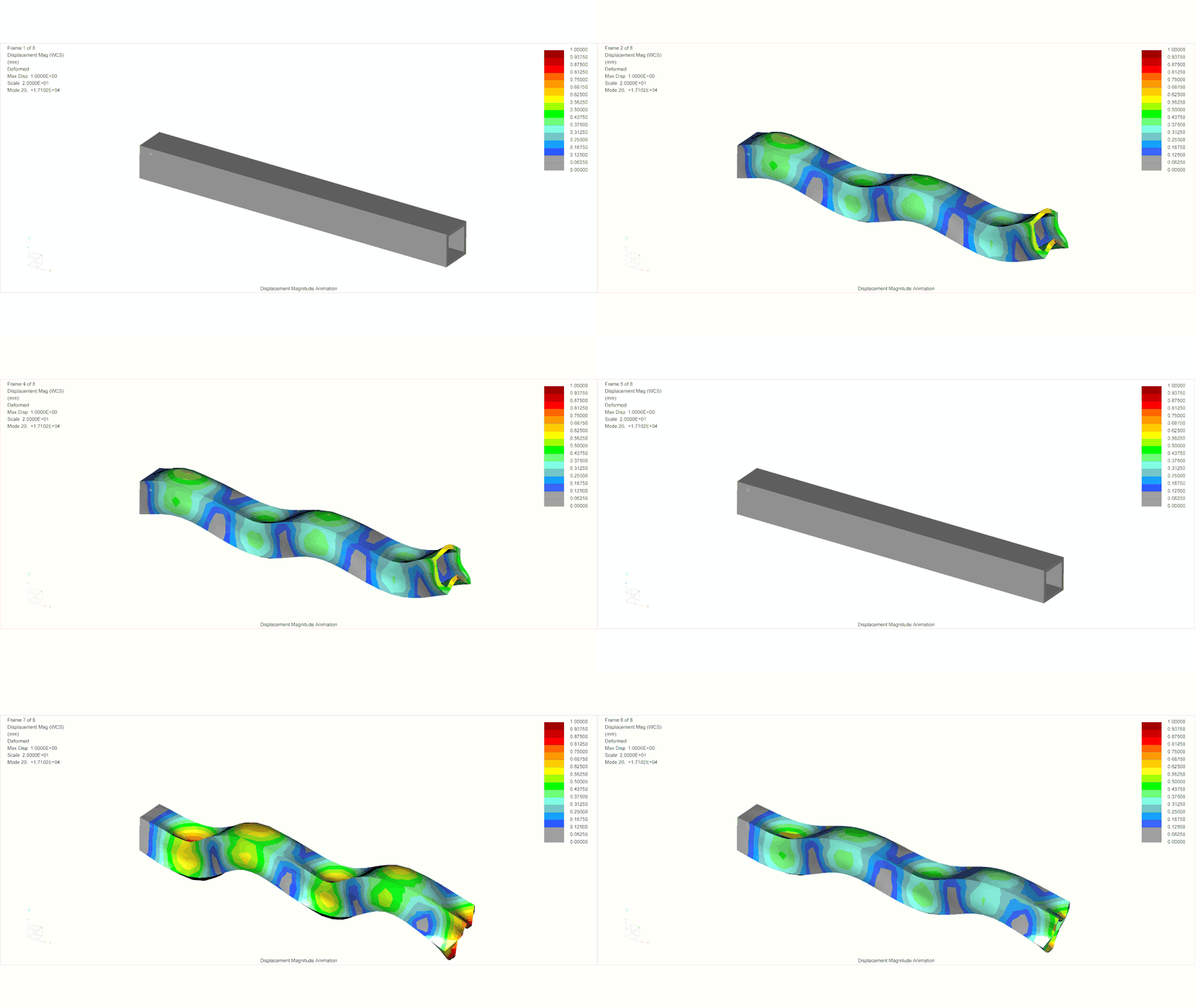
RESULT:

output.gif


1 reply

19-Tanzanite
March 26, 2025

I use the free software CamStudio πŸ˜‚


CamStudio.png

16-Pearl
March 26, 2025

πŸ˜‚This seems to be a solution for a specific case. However, we often use mapkeys to export multiple results in one go. If we want to export results directly from Creo, this functionality needs to be supported by PTC Creo Simulate Results.

16-Pearl
March 27, 2025

Sorry, I don't like to use 3rd party softwares for this kind of simple task. They won't allow me to use it from the creo. I've described the way I did it based on comments in this discussion.