
1-Visitor
November 28, 2014
Solved

Script Error in Creo Parametric 2.0

  • November 28, 2014
  • 2 replies
  • 7393 views

I have been having trouble with my Creo Parametric 2.0. As soon as the application loads up, there is a tab named "script error" popping up and no matter how I try to close it, it keeps recurring, disabling me to use the software. I have tried installing the entire software again and is of no use. I would be really thankful if you could help me rectify the above mentioned issue as soon as possible as the situation is kind of an emergency. I have attached an image capturing the above mentioned problem. Thanking you in advance.
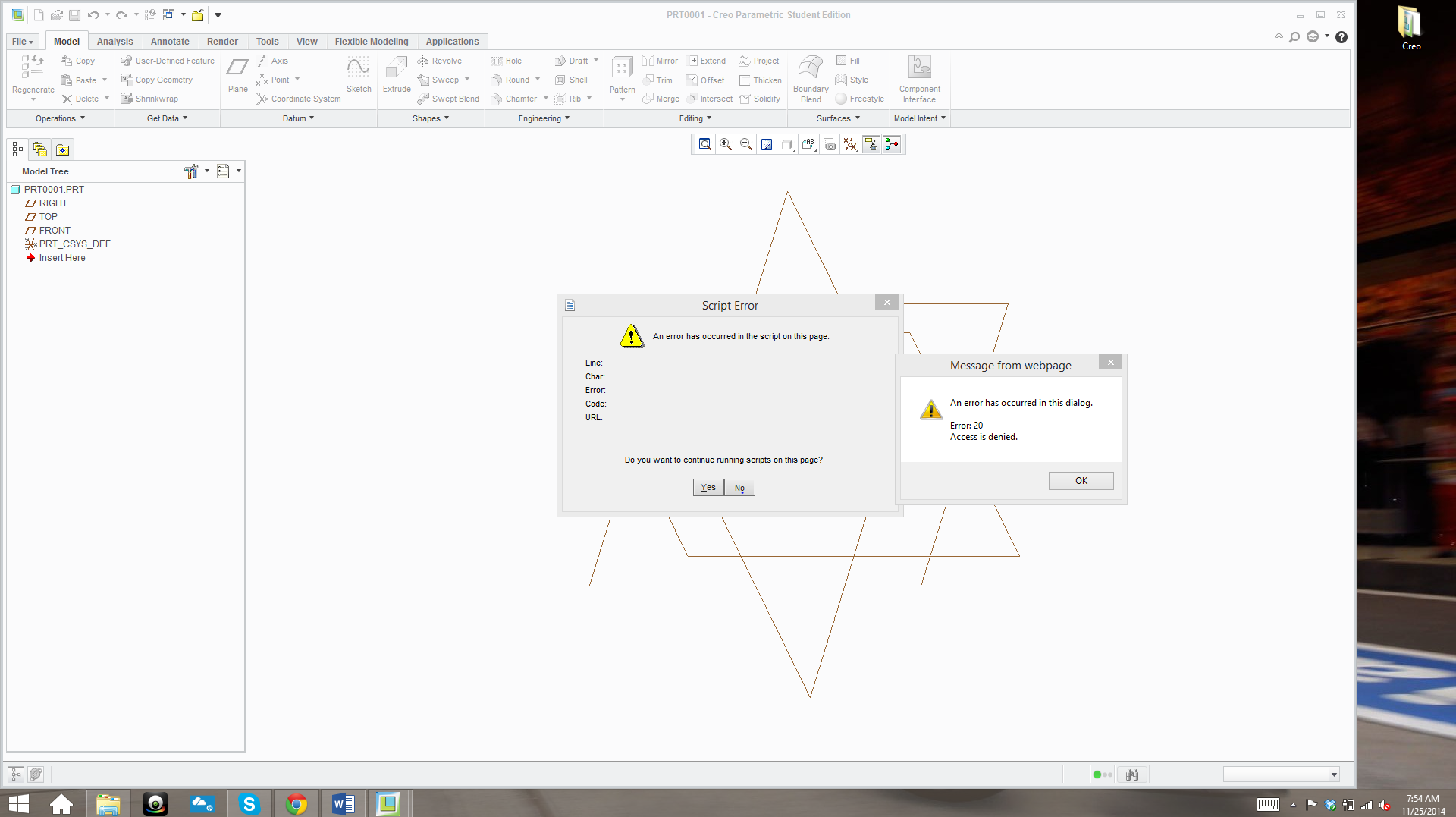
Captu12re.PNG

    Best answer by MartinHanak

    Hi Shravan,

    you can configure URL which will be used in integrated browser as default.

    To display blank page, add the following option into your config.pro file

    WEB_BROWSER_HOMEPAGE about:blank

    Marn Hanak

    2 replies

    24-Ruby III
    November 28, 2014

    Hi Shravan,

    you can configure URL which will be used in integrated browser as default.

    To display blank page, add the following option into your config.pro file

    WEB_BROWSER_HOMEPAGE about:blank

    Marn Hanak

    22-Sapphire I
    November 28, 2014

    As martin suggested you can use about:blank to display blank page, however instead of about:blank you can use your company web address or any other web address as well (e.g. www.google.com).