10-Marble
Jul 2, 2013 6:52 AM UTC
Solved

Using measured dimension from analysis in relation

Hello,

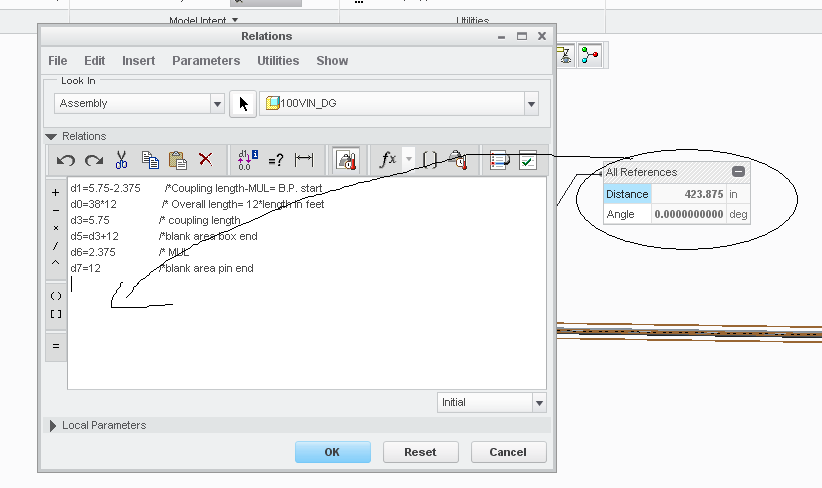
I would like to learn how do we use analysed feature say distance in to relation.

eg. i measure a distance using analysis which turn out to be 'x'.

And if i wish to place a plane at 'x/2'.

Thank you for your time and consideration.
analysed_distance.bmprelation.bmp


This thread is inactive and closed by the PTC Community Management Team. If you would like to provide a reply and re-open this thread, please notify the moderator and reference the thread. You may also use "Start a topic" button to ask a new question. Please be sure to include what version of the PTC product you are using so another community member knowledgeable about your version may be able to assist.
SylvainA.Answer
1-Visitor
Jul 2, 2013 7:09 AM UTC

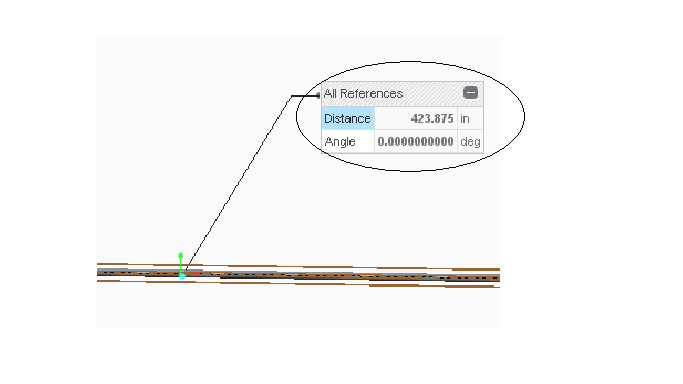
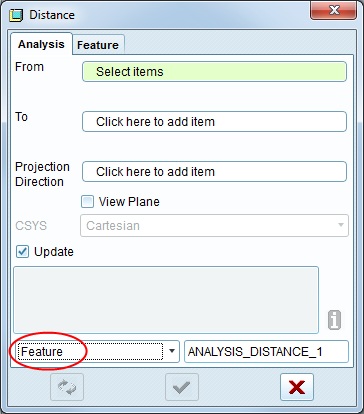
You first have to create a measurement feature

measurement-feature.jpg

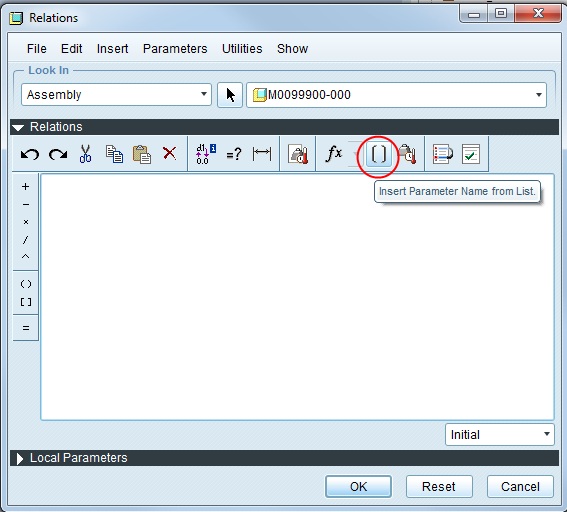
Once created, you can open the relation window, and choose to insert a parameter from list:

parameter-name.jpg

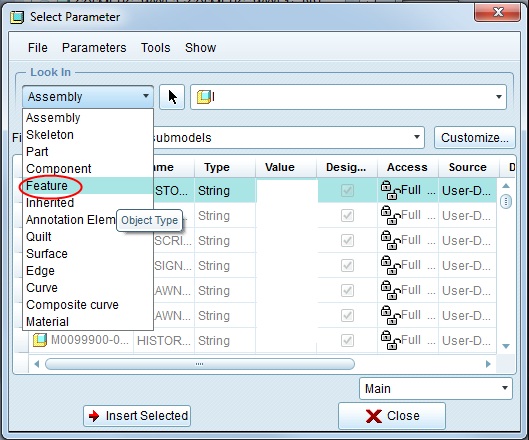
You have to look in feature:

object-type.jpg

Then click on the measurement feature you first created and select the right parameter, click on "Insert Selected" and the measure parameter will be in your relation.

7 replies

24-Ruby III
Jul 2, 2013 7:07 AM UTC

Vinit,

see attached part.

FYI: Your license has to enable you to save analysis results as feature.

Martin Hanak

Translate
SylvainA.1-VisitorAnswer
1-Visitor
Jul 2, 2013 7:09 AM UTC

You first have to create a measurement feature

measurement-feature.jpg

Once created, you can open the relation window, and choose to insert a parameter from list:

parameter-name.jpg

You have to look in feature:

object-type.jpg

Then click on the measurement feature you first created and select the right parameter, click on "Insert Selected" and the measure parameter will be in your relation.

Translate
vkothari10-MarbleAuthor
10-Marble
Jul 2, 2013 7:27 AM UTC

Thank you so much.

Translate
17-Peridot
Jul 2, 2013 7:10 AM UTC

Welcome to the forum Vinit.

You can save the measurement as a feature. As such, you can use the feature's parameters in relations.

While editing your relations, click the "[ ]" button (next to the "fx") and the parameter window opens. At the "look-in" menu, select "feature" and click on the saved measurement feature in the feature tree. The parameters of the measurement will show in the "select parameter" screen. Highlight the parameter name you want to use in relations and click the "Insert Selected" at the bottom left of the parameter dialog. Now the parameter is added to your relation window. Here is an example: x=RADIUS:FID_276/2

Translate
17-Peridot
Jul 2, 2013 7:12 AM UTC

Don't everyone answer at once now

Translate
1-Visitor
Jul 2, 2013 7:15 AM UTC

I think I was first to click on "Reply" (spending more time to make pictures and write my answer)

Translate