How to assign units to output of an excel component in MathCAD?
Just started MathCAD prime 2.0. Big change from MathCAD 15. Majority is unpleasant change. Anyways my questions below.
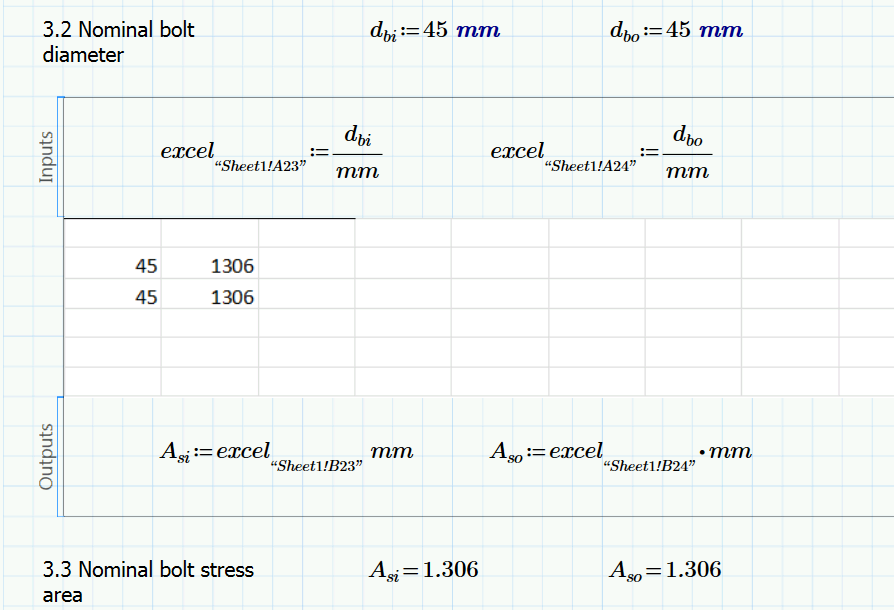
I have inserted a excel component in my MathCAD sheet.
1. The input into the excel component has units 'mm'. The value is 45 mm (Bolt dia). In the excel sheet it comes out as 0.045 automatically. Why is that so?
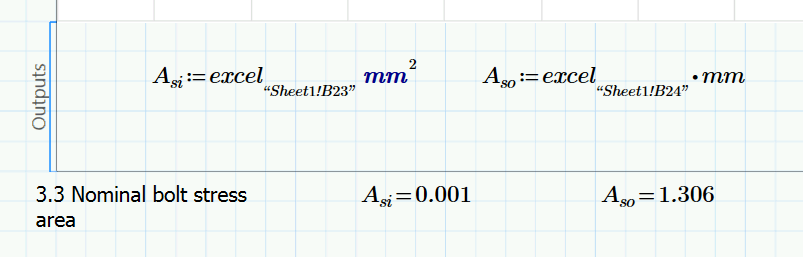
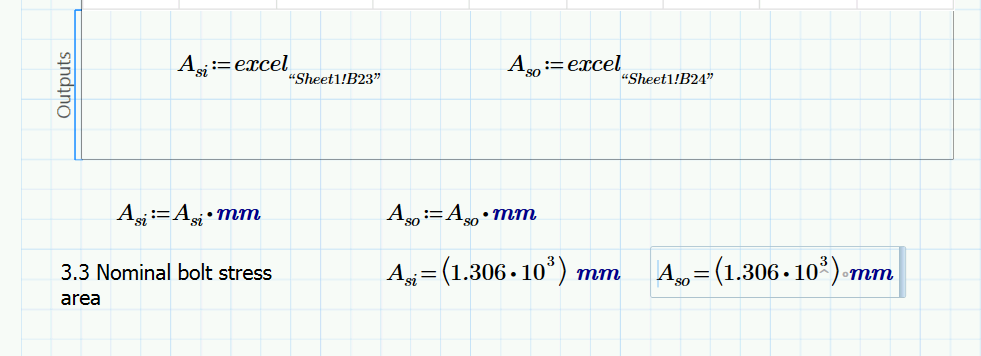
2. In the excel component there is a table and it does a VLOOKUP search in excel for the input given and returns the desired value. This value I have selected as a output of my excel component. The thing is that the output does not have any unit. But I want units of mm^2 (Bolt area) assigned to it. But for the life of me I am not able to do it. Each time I try to insert manually, MathCAD automatically makes it unitless by giving mm^2/m^2 result. Any help regarding this?
Thanking you all in advance.
Regards,
Debayan