3-Newcomer
October 14, 2024
Solved

The variable is undefined. Check that the label is set correctly. Mathcad 9.0.0.0

  • October 14, 2024
  • 1 reply
  • 3194 views


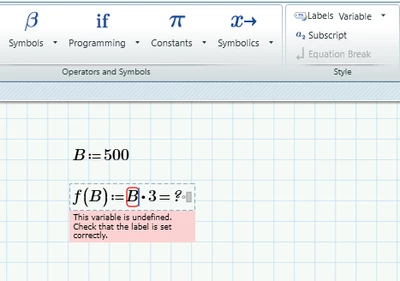
Does anyone know why this is happening? I set all the "B" Labels to "Variable" and it still says undefined.


AP_12141614_1-1728931925515.png


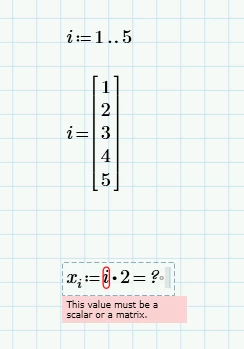
I got this example from a youtube video and it gives a different error.


AP_12141614_2-1728931989270.png


This is pretty frustrating, not gonna lie. I am new to mathcad, so maybe it's something I'm doing.

Here's to hoping you can help.

Thanks

Best answer by StuartBruff

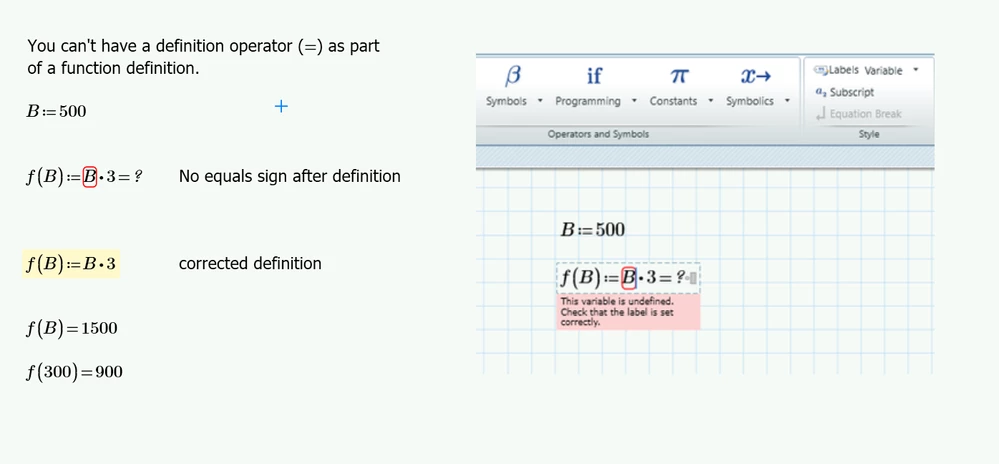
Your first problem is caused by evaluation operator after the function definition.  Get rid of it and your troubles go away.
 

2024 10 14 C.png


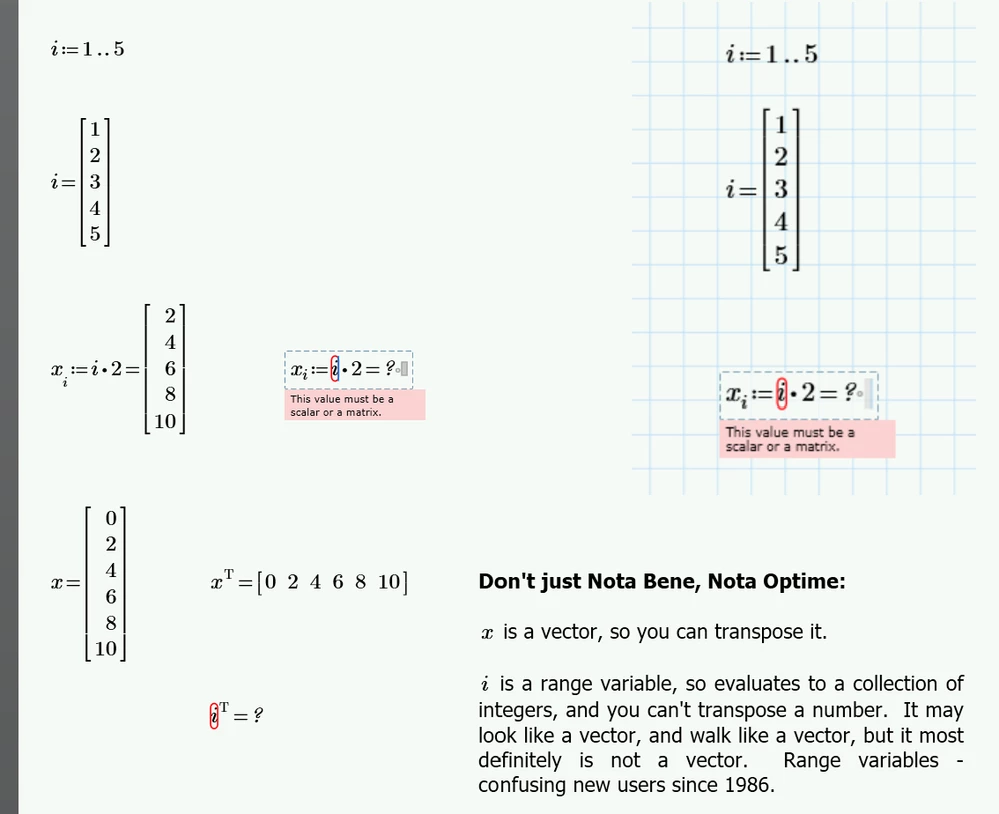
I have no idea why your second problem occurs.  It works fine in Mathcad Prime 10.0 and I see no reason to suppose that it does not work in Mathcad Prime 9.  This is why experienced Mathcadders recommend that you post a worksheet with the problem in it.  There are some subtleties, such as Math Styles or Greek vs Latin characters, that don't necessarily show up very well in a screenshot.   


Ah, in fact, looking closely at your screenshot, did you use the subscript operator ctrl-minus or the index operator [ to insert the i?  A subscript in a name is just a decoration and the i forms part of the name.  An index i is a separate name.
 

2024 10 14 C.png


I'd post a worksheet but it wouldn't be much use to you as Mathcad Prime files aren't backward compatible.


Stuart

1 reply

23-Emerald V
October 14, 2024

Your first problem is caused by evaluation operator after the function definition.  Get rid of it and your troubles go away.


2024 10 14 C.png


I have no idea why your second problem occurs.  It works fine in Mathcad Prime 10.0 and I see no reason to suppose that it does not work in Mathcad Prime 9.  This is why experienced Mathcadders recommend that you post a worksheet with the problem in it.  There are some subtleties, such as Math Styles or Greek vs Latin characters, that don't necessarily show up very well in a screenshot.   


Ah, in fact, looking closely at your screenshot, did you use the subscript operator ctrl-minus or the index operator [ to insert the i?  A subscript in a name is just a decoration and the i forms part of the name.  An index i is a separate name.


2024 10 14 C.png


I'd post a worksheet but it wouldn't be much use to you as Mathcad Prime files aren't backward compatible.


Stuart

3-Newcomer
October 14, 2024

Ok, now when I call it separately, it works! I mean I guess it was working the whole time, I was just doing it wrong. Thank you so much!


Yeah I used the ctrl- to insert it. When I use the left square bracket [, it works now. Thanks!

25-Diamond I
April 20, 2025

What you did should work OK but it doesn't - I would call it a bug in Prime. You may consider reporting it to official PTC support.


Workaround is to remove the inline evaluation of t.ON

Werner_E_0-1745138261554.png

If for some reason (which?) you insist on using inline evaluation after the variable definition, you may use a symbolic eval instead of the numeric one

Werner_E_0-1745138857716.png


For future questions please don't hijack an old thread but rather open a new one, say which version of Prime you are using and if ever possible attach the Prime worksheet itself and not just pictures!