

Question
Unable to download Creo Parametric Trial software, getting an error "Improper access"
Issue:
Unable to download Creo Parametric Trial software, getting an error "Improper access"
Reasons/Causes: -
- Browser cache and cookies restricting the Creo Parametric Trial download
Solutions:
Solution1
- To delete the browser cache and cookies within Internet Explorer refer here
- To delete the browser cache and cookies within Mozilla Firefox refer here
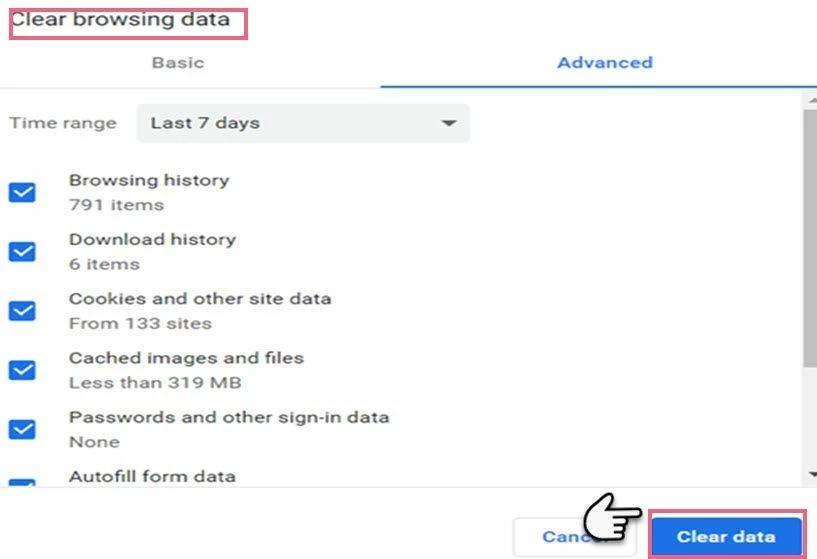
- To delete the browser cache and cookies within Google Chrome refer below steps
- Open Google Chrome > At the top right click More Tools and Clear browsing data
- At the top, choose a time range. To delete everything, select All time.
- Next to "Cookies and other site data" and "Cached images and files," check the Boxes.
- Click Clear data.
Solution 2: -
- Use a different web browser to download.