

Error "An Unhandled exception occurred on the dispatcher thread".
As a Mathcad User if you happen to receive an error message "An Unhandled exception occurred on the dispatcher thread. See “C:\ProgramData\PTC\MathcadPrime\Logs\MathcadPrime_Exception_###.log"
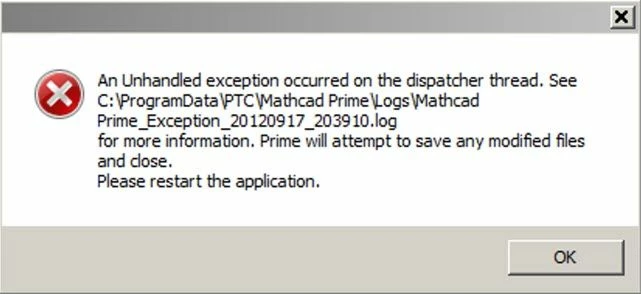
Than to address the problem, lets first understand the reason for this error followed by Resolution.
Root Cause of Error:
- MathcadPrime.exe.config may have been corrupted
- User.config is corrupted for the user trying to launch Mathcad Prime
Resolution: There are two resolutions to address the problem
Resolution 1 -
1. Rename the file MathcadPrime.exe.Config to old_MathcadPrime.exe.Config in the default Mathcad Installation location "C:\Program Data\PTC\Mathcad Prime".

2. Rename the folder #PTC to old_PTC in the location " C:\Users\%username%\Appdata\Local"
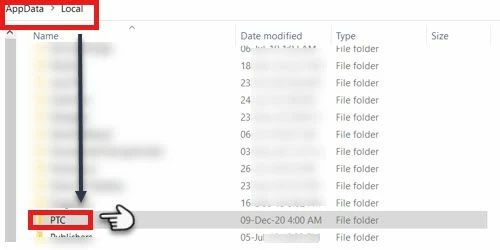
3. Clear Temporary files on the Machine

If the above instructions fail to resolve the issue, uninstall the application, reboot the machine and reinstall Mathcad Prime
Resolution 2 -
- Alternate workaround is to copy Mathcad Prime Folder from the location C:\ProgramData\PTC from a machine on which Mathcad Prime is up and running and paste it to the same location on the machine having issue.
- If the former resolution does not solve the issue, uninstall the add-on Microsoft .Net Framework, download and re-install the local language version
- Uninstall and re-install Mathcad Prime