

How to Acquire Mathcad Prime 30 days License for Mathcad Prime?
There are two options to acquire 30 days Mathcad Prime license file. Please follow below listed, Step by Step procedure:
Option 1: Retrieval of License file via Internet
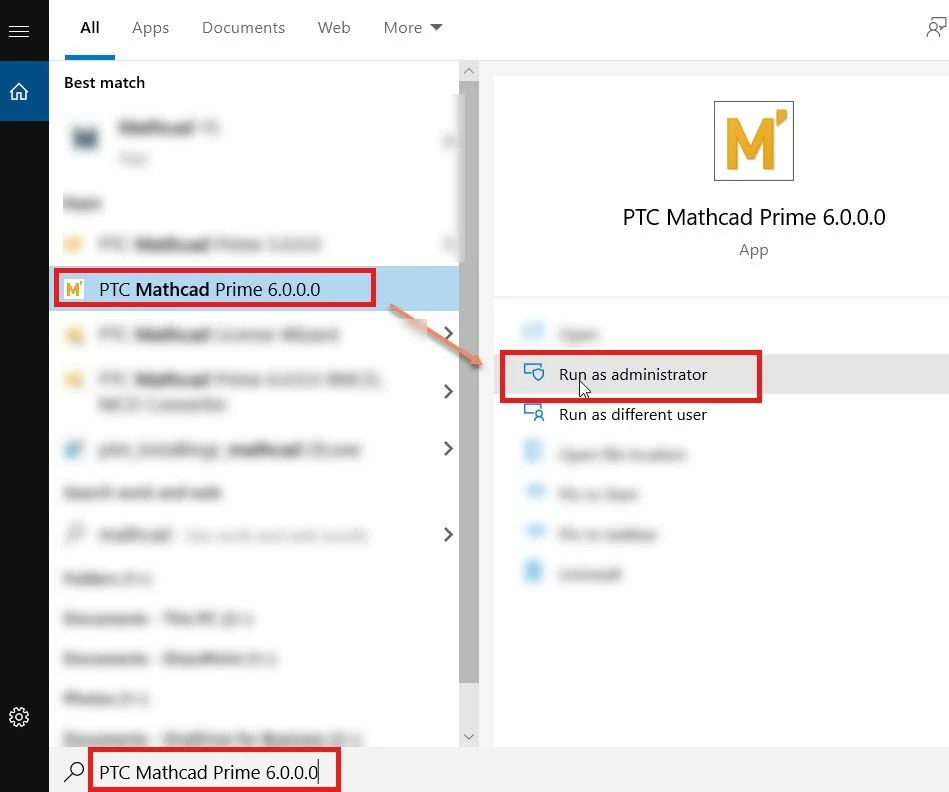
1. Install Mathcad Prime 6.0.0.0 and launch it.
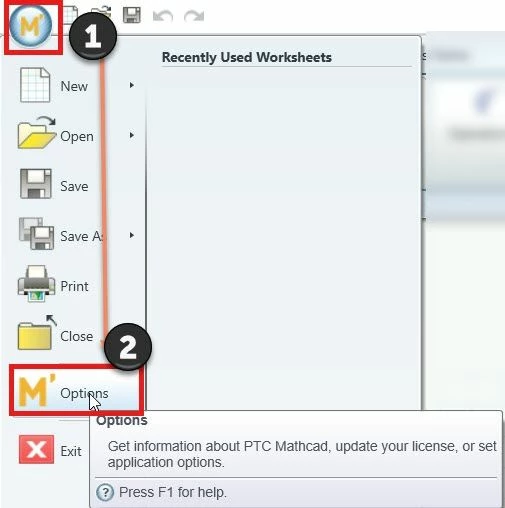
2. Click on the Mathcad Prime Icon (M') and Select #M' Options. Refer below image:
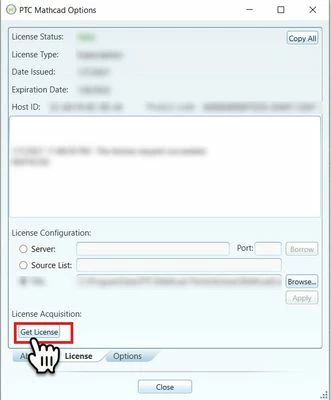
3. In the new Window "PTC Mathcad Option", select #Get License
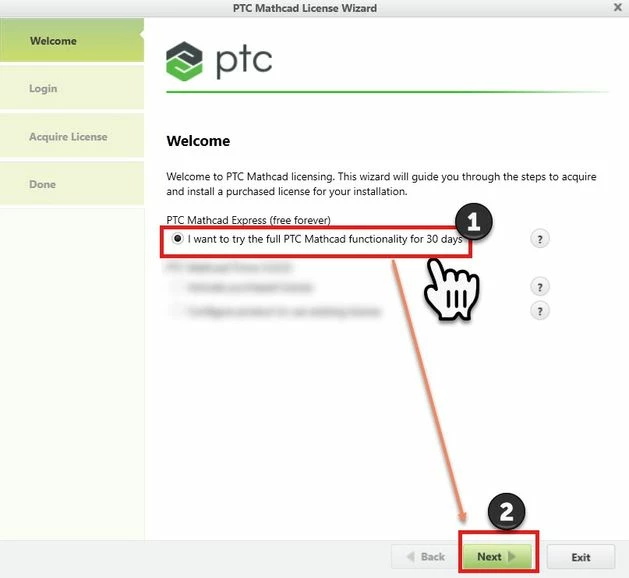
4. In the PTC Mathcad License Wizard window, select #I want to try the full PTC Mathcad functionality for 30 days and than select #Next
5. Enter your PTC.com login Credentials (Email and Password). If incase you don't have one, you may create by selecting the second option #I am New to PTC.com and need to create an account and create an account
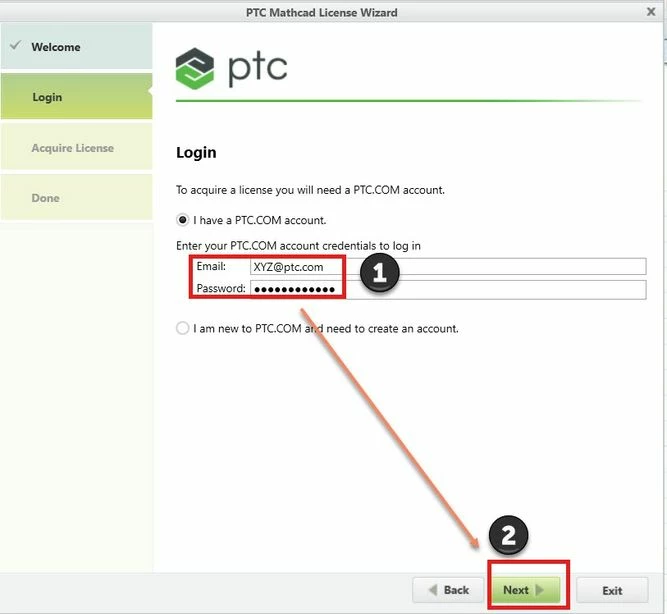
And select #Next
6. On PTC Mathacd License Wizard page, Acquire License will Prompt for you to Select the Products to install the License for, in this case I have selected PTC Mathcad Prime 6.0.0.0 and than Select #Acquire License.
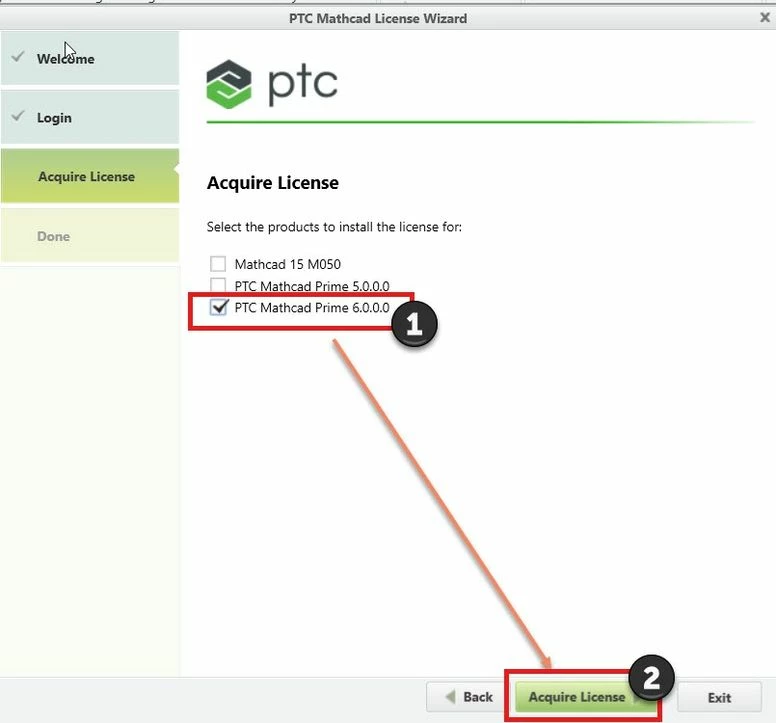
7. PTC Mathcad License Wizard will connect with PTC server and sends a request for license file
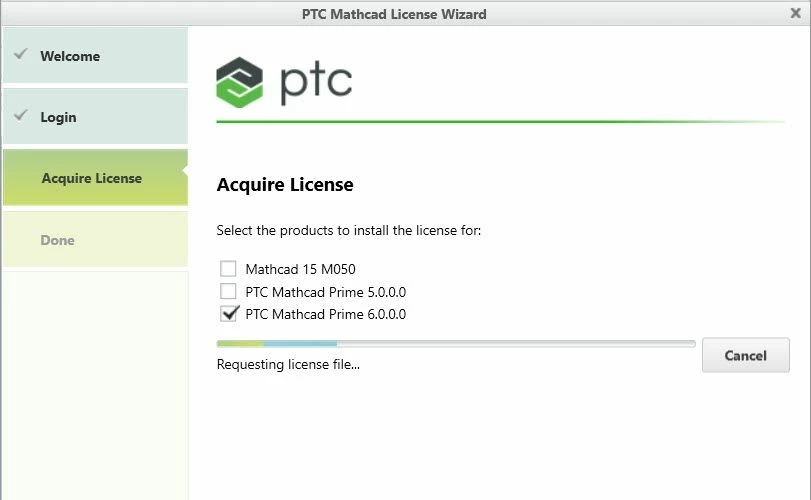
8. While this request is ongoing, you'll notice a license email triggered from "mathcadlicensing@ptc.com". This email will have a license file attached. For details refer below image:
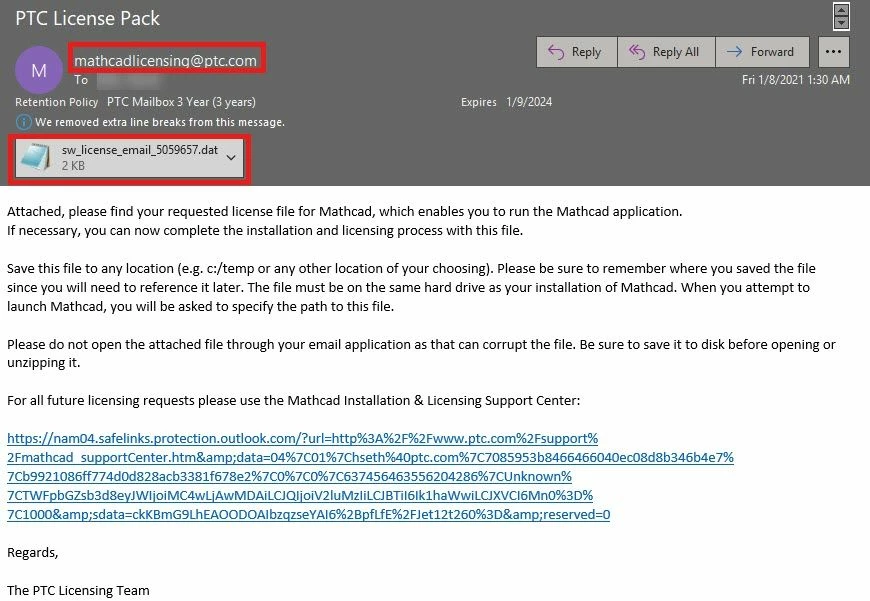
9. Complete the license retrieval process by selecting #Exit
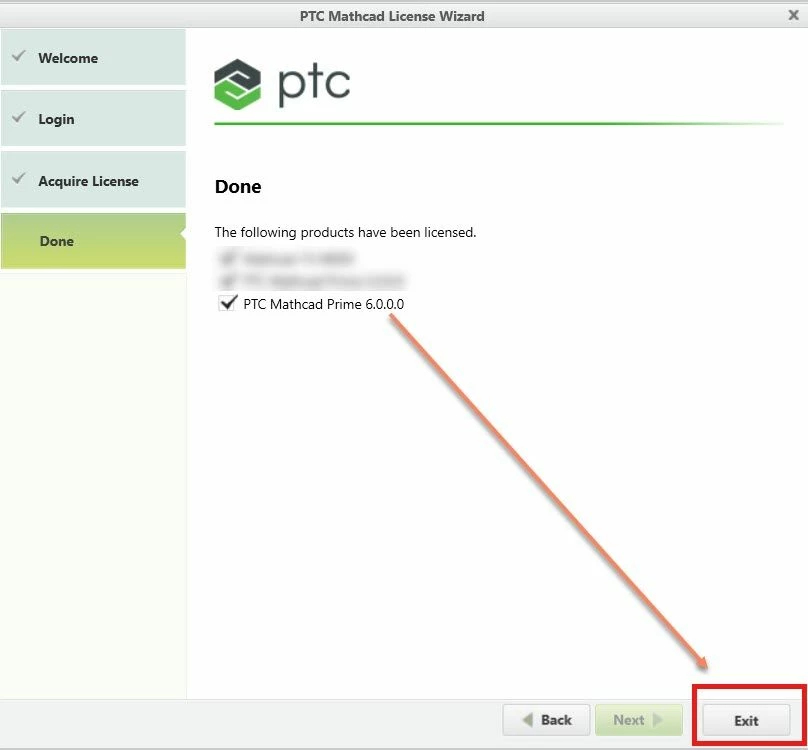
10. Once you select #Exit, the PTC Mathcad Options dialogue box displays the License Status value as Valid
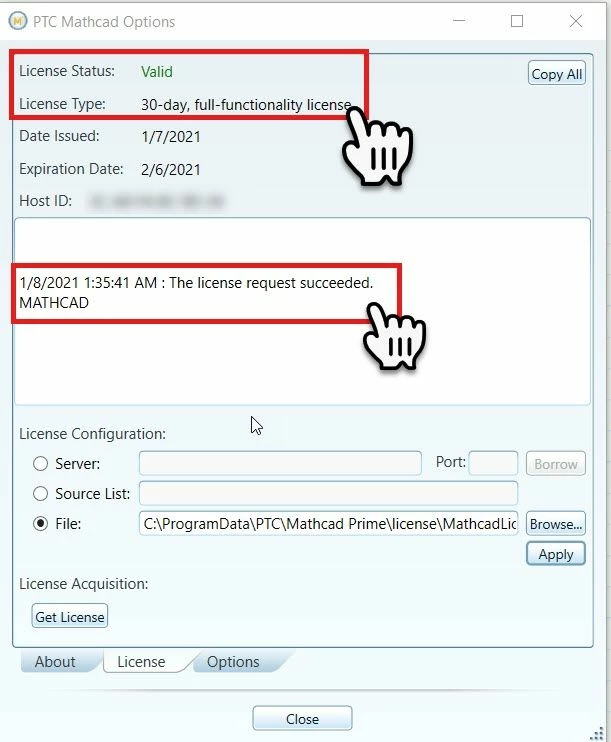
11. This concludes the steps required to retrieve 30 days Mathcad Prime license.
Option 2:
Run PTC Mathcad license wizard from default location C:\Program Files\PTC\Mathcad Prime 6.0.0.0 and follow the steps listed in Option 1 above.