15-Moonstone
January 7, 2021
Question

How to Activate Mathcad 15 License using Product Code

  • January 7, 2021
  • 3 replies
  • 8838 views

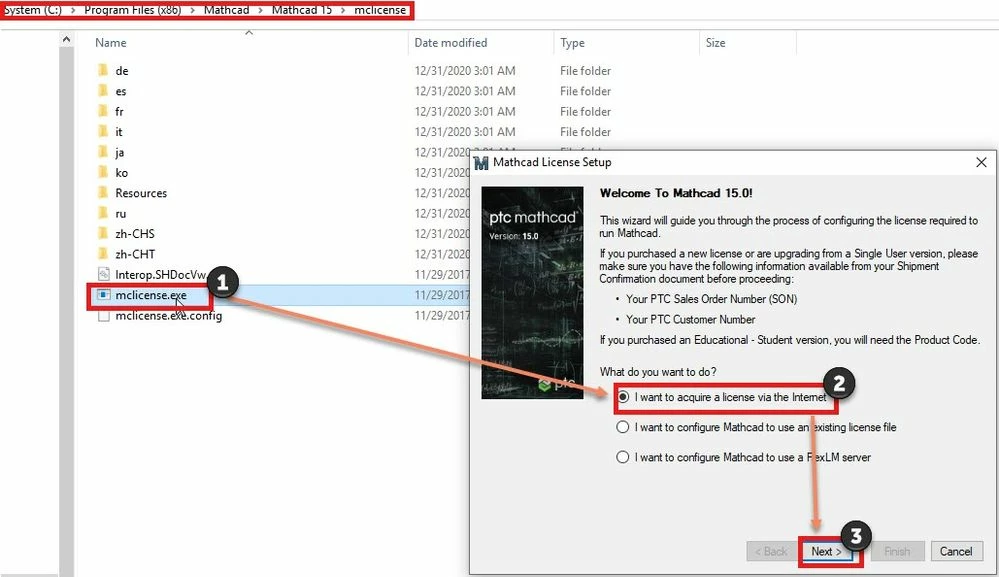
1. Run Mathcad License wizard user by browsing default Mathcad installation location C:\Program Files (x86)\Mathcad\Mathcad 15\mclicense.exe (Right click and #Run as administrator) or Run Mathcad 15 as administrator
 

123.jpg


On the Welcome to Mathcad 15.0 page select #I want to acquire license via the Internet and click #Next


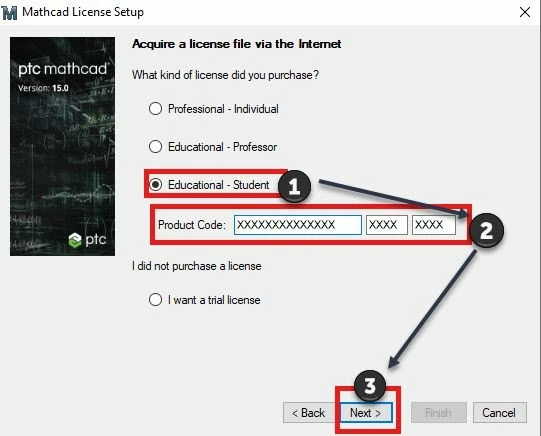
2.  On Acquire a License file via the Internet, select #Educational - Student, enter the Product Code and select #Next
lic.jpg


3.  Installer will prompt for Account Creation,  on Page  "Create New PTC eSupport Account", enter all the required information under #Basic Account. Select #Create Account(3). Once an account gets created, you'll get a confirmation PTC.com Basic Account Created (4). Now select #Next (5)
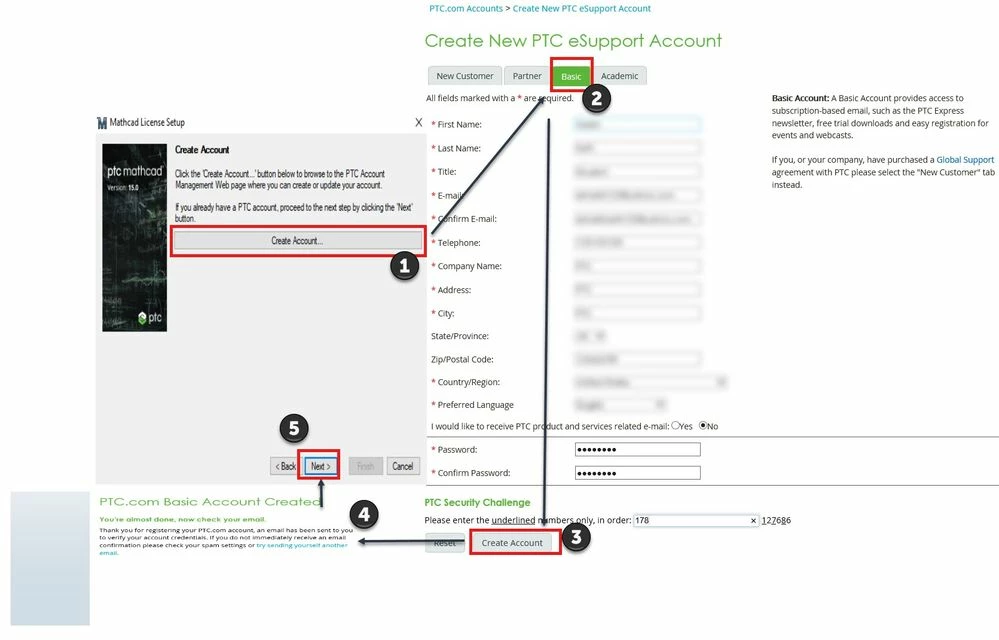
 

acc.jpg

 4. Provide the details and select options as highlighted in below images:
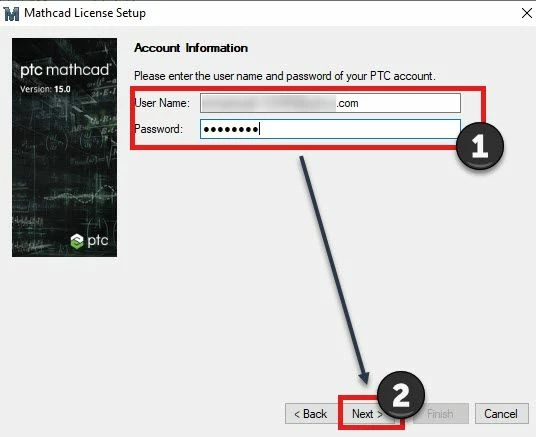
 

Provide PTC.com account informationProvide PTC.com account information


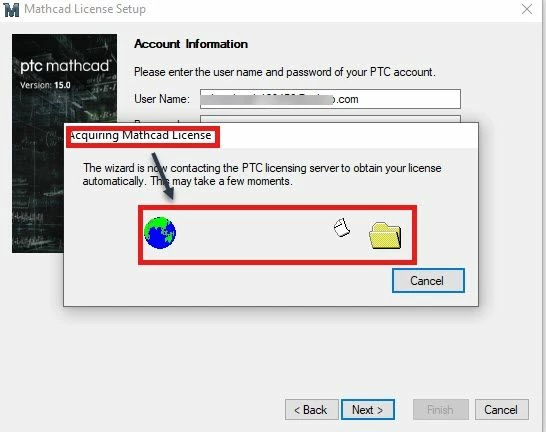
Mathacd License will be acquiredMathacd License will be acquired


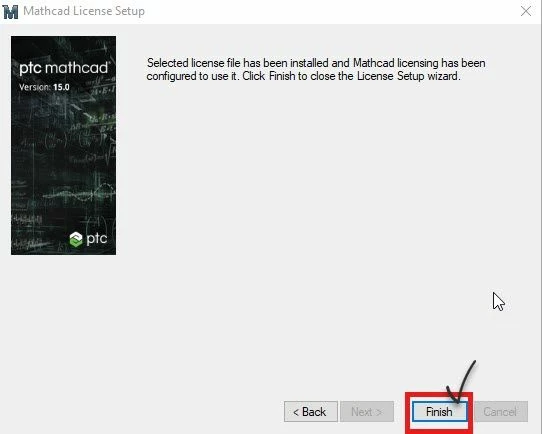
#Finish the process#Finish the process


5. After selecting #Finish, license will be generated for the product code entered. User can now launch Mathcad 15.


3 replies

1-Visitor
March 2, 2021

Hi, 

i followed the installationstep and by the step 3 the show me an error  when i entered my accounts information. the wrote "the server remote return an error : unauthorized"

i don´t know wath is  whit it.

14-Alexandrite
September 16, 2021

We have to create a new on-prem license server (for Creo and Mathcad). Creo Parametric is easy to change: in the start command (.psf) file.

Is there a simple way to change the license server name for Mathcad 15 (ie. a text file that can be edited)?

Or do we need to run mclicense.exe on every computer on which Mathcad 15 is installed?

24-Ruby III
September 17, 2021

Does every PC use a floating license for Mathcad?

1-Visitor
June 1, 2022

This no longer works. I have an existing licensed copy of Mathcad 15 and my computer hard drive crashed. I reinstalled the SW, but when I go thru this process I get an error.


"The trial program you are requesting is no longer available. Please visit the software product page on www.ptc.com to explore our latest versions."


And so far, this lack of help from PTC is phenomenally BAD.