Hello.
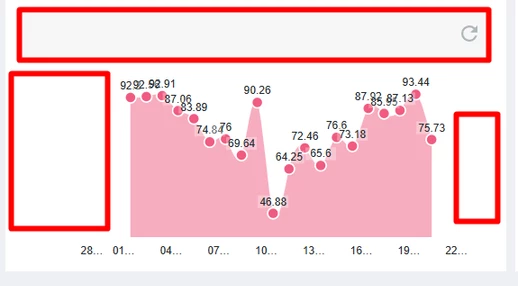
So, the Padding is not due to CSS. When the X-axis is in the Timestamp format, extra dates are shown on the Left and Right sides of the Chart, but there is no value for them; those dates are auto-generated by the Chart, which is the reason for the space.
To avoid this, I have bound the X-AxisMinmumValues and X-AxisMaximumValues with the Max Date and Min Date from the Data given to the Chart.
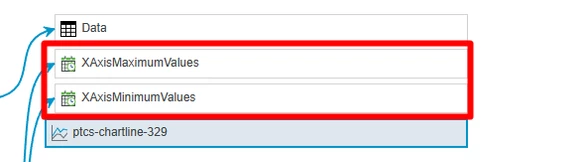
If Someone needs the code to get the Max and Min from the Data of the Chart, below is the code for it:
let result = Resources["InfoTableFunctions"].CreateInfoTableFromDataShape({
 infoTableName: "InfoTable",
 dataShapeName: "FSR.MaxMinDates.DS"
});

if(InfoTable && InfoTable.length)
{
 InfoTable.Sort({ name: "Timestamp", ascending: false });
 let minTimeStamp = InfoTable.rows[InfoTable.length - 1].Timestamp;
 let maxTimeStamp = InfoTable.rows[0].Timestamp;

 result.AddRow({
 MaxTimeStamp: maxTimeStamp, // DATETIME
 MinTimeStamp: minTimeStamp // DATETIME
 });
}
I am unsure how I removed exactly the Reset button from the Chart. There should be a property that I changed by mistake, and it disappeared.
Thanks a lot, @Velkumar, for putting in the effort and sharing the CSS with me; I appreciate it.
Thanks,