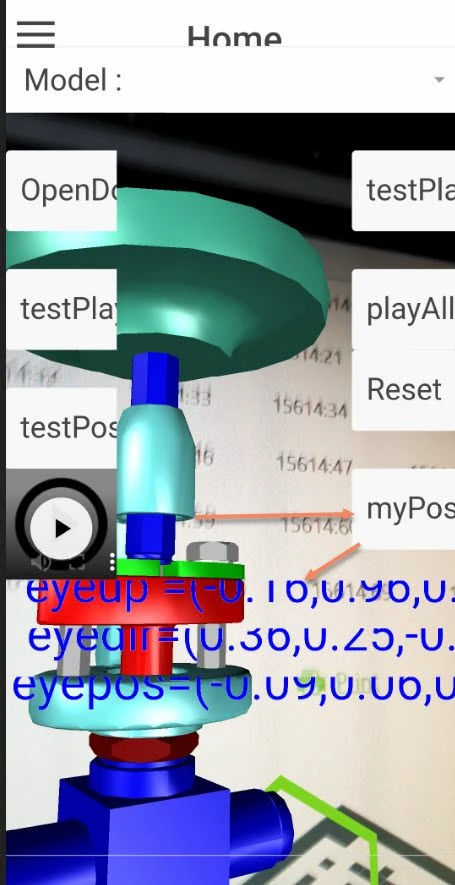
So I checked it further and infact it is possible to find t(trackerId, position, gaze -eyedir vector, up -eyeup) of the mobile device . In this case we have to use the tml3dRenderer.setupTrackingEventsCommand() with callback which will for example write the value into some global variables or parameters. The funciton definition should be some thing like:
ml3dRenderer.setupTrackingEventsCommand (function(target,eyepos,eyedir,eyeup) {


//setting the values to variable
 $scope.myPosition.target= target;
 $scope.myPosition.eyepos= eyepos;
 $scope.myPosition.eyedir= eyedir;
 $scope.myPosition.eyeup=eyeup;
...

},undefined);
I tested it on android samsung s9 and it was working fine. I used the following relvant code to test:
tml3dRenderer.setupTrackingEventsCommand (function(target,eyepos,eyedir,eyeup) {

 // set values to a applicaiton parameter as string
 $scope.app.params['eyepos']="eyepos=("+eyepos[0].toFixed(2)+","+eyepos[1].toFixed(2)+","+eyepos[2].toFixed(2)+")";
 $scope.app.params['eyedir']="eyedir=("+eyedir[0].toFixed(2)+","+eyedir[1].toFixed(2)+","+eyedir[2].toFixed(2)+")";
 $scope.app.params['eyeup'] ="eyeup =("+ eyeup[0].toFixed(2)+","+ eyeup[1].toFixed(2)+","+ eyeup[2].toFixed(2)+")";


},undefined);


// function which is called by button
$scope.myTestFunction=function(){
//set the value of some 3dLabels Widget
 $scope.view.wdg['3DLabel-1']['text']=$scope.app.params['eyepos'];
 $scope.view.wdg['3DLabel-2']['text']=$scope.app.params['eyedir'];
 $scope.view.wdg['3DLabel-3']['text']=$scope.app.params['eyeup'];

};
So the a example above will update on button click the value of 3d labels according to the current cammera postion. (the problem of the text display on this picture is based on the too large font setting on my mobile device )