Problem with Time Series Chart
Hello,
I tried to implement a Time Series Chart today and somehow no data is shown even though I read through a lot of posts on here. In the following I will describe what I did:
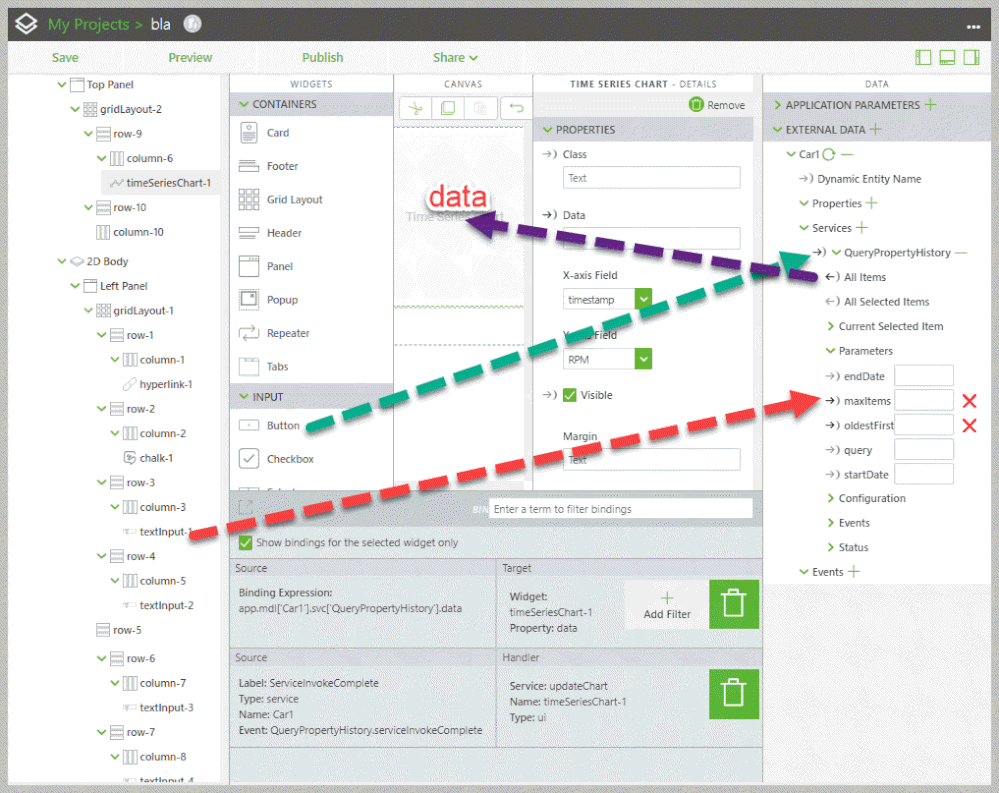
1) Created a new Project and put the chart onto the 2D Canvas.
2) Under External Data I imported the Car1 Thing and the Service GetPropertyValue and QueryPropertyHistory.
3) Under QueryPropertyHistory I attached "All Items" to the chart on my Canvas and selected "Data" for Select Binding Target.
4) Under Configuration I selected "Invoke On Startup" and "Auto-refresh". I did the same on GetPropertyValues.
5) For the chart I selected "timestamp" on the X-axis and "RPM" on the Y-axis.
When I'm in the Composer I can't test the Services because I'm using a Trial-Account.
The Bar Chart and Gauge work just fine.
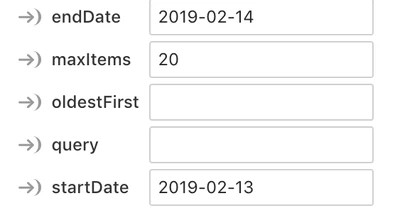
I played around with the Parameters which looked like this:
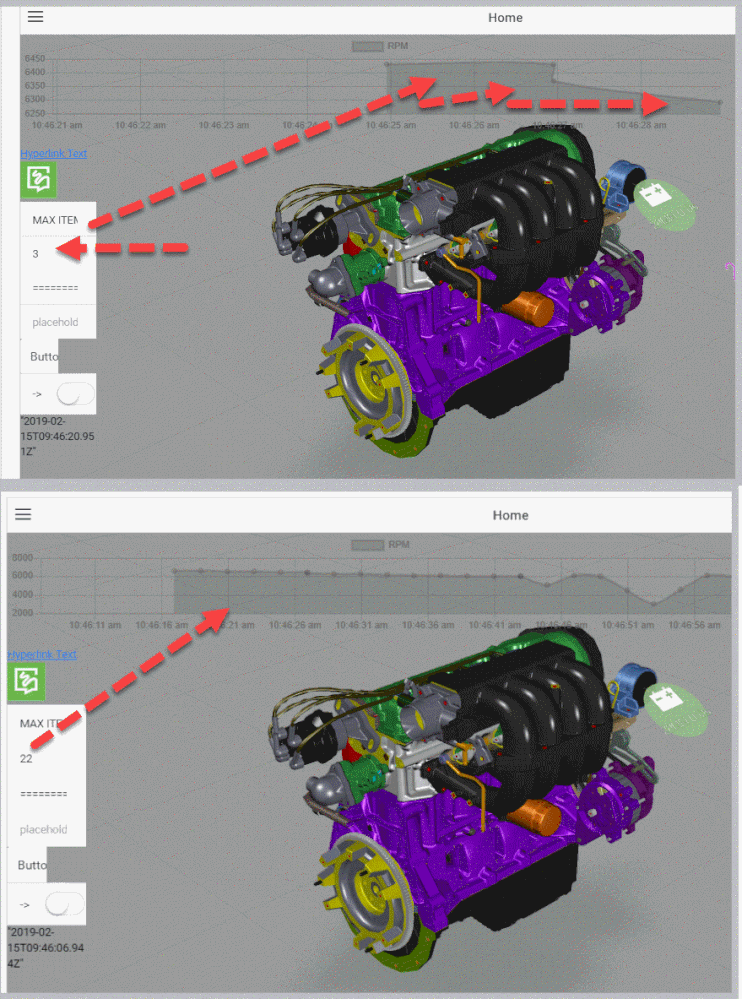
I also played around with the Event "ServiceInvokeComplete" but no luck as well. Somehow I made the Time Series Chart work with the "GetPropertyValue" only, but this was not what I wanted and the chart displayed, but incorrect.
For any help regarding this topic I would be very grateful, this is the last step to finish my Project.
Best regards 🙂