Hi,
You need to go to the widget property through the $scope. You can find that your model widget has something called sequence property.
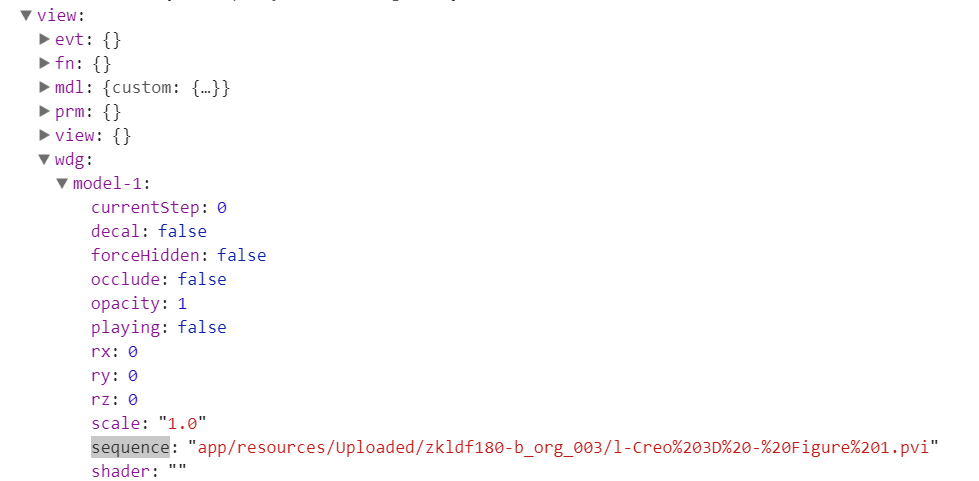
Sequences created in Creo software are saved in PVI format and it is a part of the PVZ model file. You can try to open PVZ file as an archive to see that it contains your sequences in separated PVI files.
So now you can try with two things:
1. Assign the sequence name directly to the property like this: $scope.view.wdg['model-1'].sequence = "mySecondSequence";
2. Try to assign it by path like it is shown above. (it can be painful to figure out correct path).
I didn't test it yet, so you can give me a feedback if it is working as you want.
Regards,
Adam

