
1-Visitor
July 17, 2019
Solved

ADO Service Testing

  • July 17, 2019
  • 1 reply
  • 1323 views

Hello everyone!


Testing ADO Service, I encountered the following problem. Having created a new service of SQL-query type I try to make a SELECT — but any of the written options leads to this:
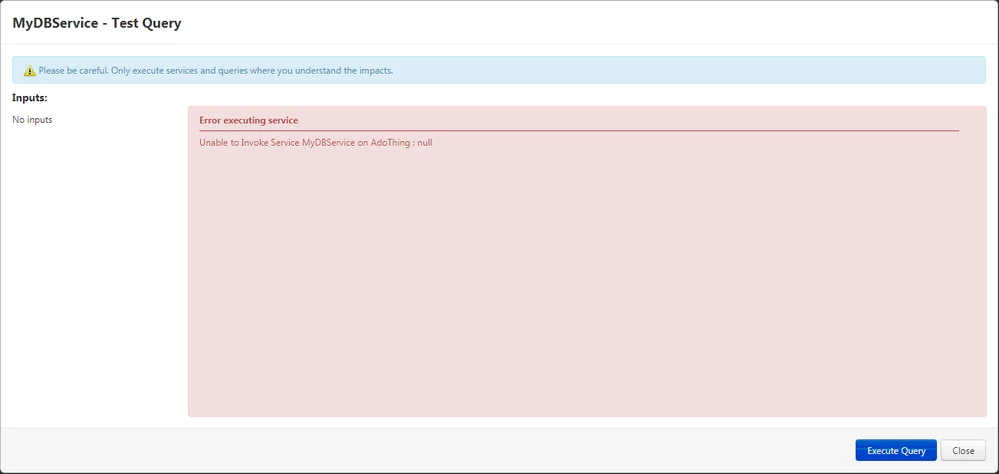
 

Null.png


Is the problem in the wrong team or the table is considered generally empty? Judging by the IsConnected property set to true and the screenshot below, ThingWorx sees the tables and columns of my database.
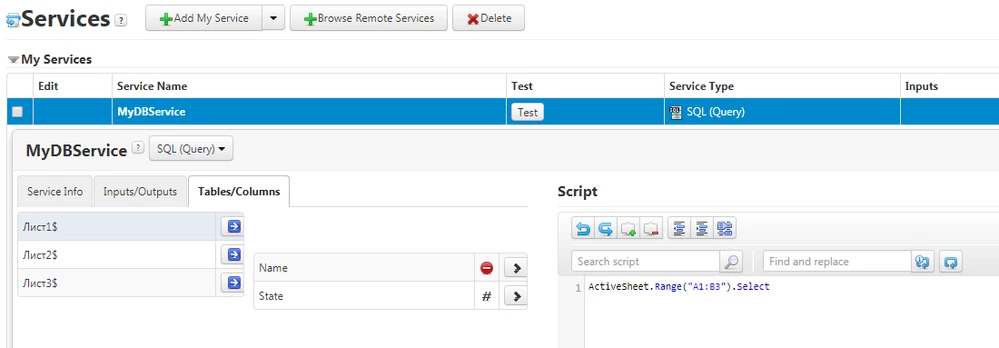
 

Service.png


Best answer by Mr_Henry_M

I found the solution. The command format was incorrect. The correct option is:


SELECT * FROM "<Table Name>$"

1 reply

Community Manager
July 17, 2019

Hi @Mr_Henry_M.


Are you actually connecting to a database or a spreadsheet, as it appears in your script?  This article may help.


Regards.


--Sharon


1-Visitor
July 18, 2019

Hi. Thank you for the answer.


I'm connecting to a spreadsheet, yes. Does it matter? If I understand correctly, Excel is perceived here as a database that can be accessed with queries like any other.


This article is familiar to me. But here we are talking about connecting and connecting problems. I have already passed this stage. The data of my data source is displayed correctly, judging by the script. Therefore, the meaning of Null in the error isn't clear to me.

Mr_Henry_M1-VisitorAuthorAnswer
1-Visitor
July 22, 2019

I found the solution. The command format was incorrect. The correct option is:


SELECT * FROM "<Table Name>$"